VAT / sales tax and shipping methods
If you or your sellers must charge VAT, PHP Bid handles it on items and on fees. Several shipping methods per item let buyers choose between cheap, fast or pickup.
Menu Settings › Configuration Options › VAT & shipping
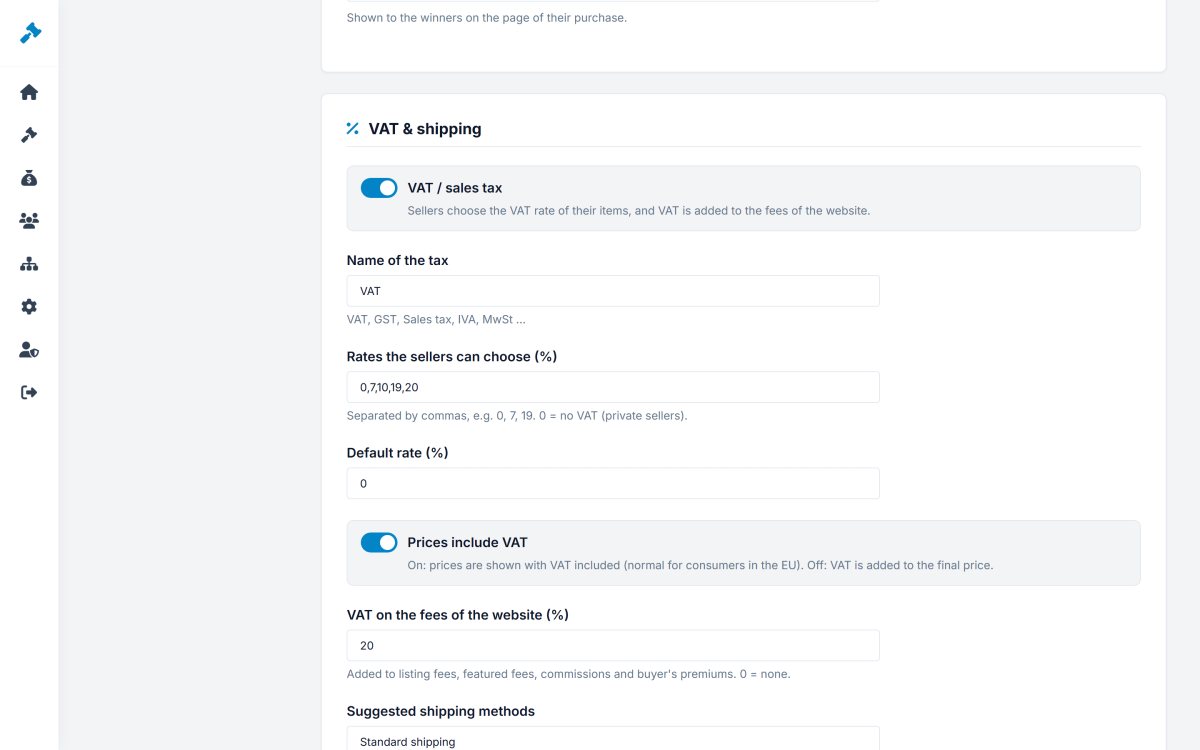
VAT settings
| Setting | Explanation |
|---|---|
| VAT / sales tax | Turns the feature on. Sellers choose the rate of their items, and VAT is added to the fees of the website. |
| Name of the tax | VAT, GST, Sales tax, IVA, MwSt... |
| Rates the sellers can choose | Comma separated, for example 0, 7, 10, 19, 20. 0 = no VAT (private sellers). |
| Default rate | Pre-selected in the listing form. |
| Prices include VAT | On: prices are shown with VAT included (normal for consumers in the EU). Off: VAT is added to the final price. |
| VAT on the fees of the website (%) | Added to listing fees, featured fees, commissions and buyer's premiums. 0 = none. |
How VAT is shown and calculated
The auction page shows a label such as incl. 20% VAT or + 20% VAT. On the sale page the VAT is calculated on the price and the shipping:
- Included: a sale of $899 at 20% contains $149.83 VAT - the total stays $899.
- Added: $899 + 20% = $1,078.80.
Fee invoices show net, VAT and total, for example a commission of $44.95 + $8.99 VAT = $53.94.
Shipping methods
Suggested shipping methods: one per line, for example Standard shipping, Express shipping, International shipping, Local pickup. Sellers pick from these suggestions (or type their own) and give each a cost; 0 = free.
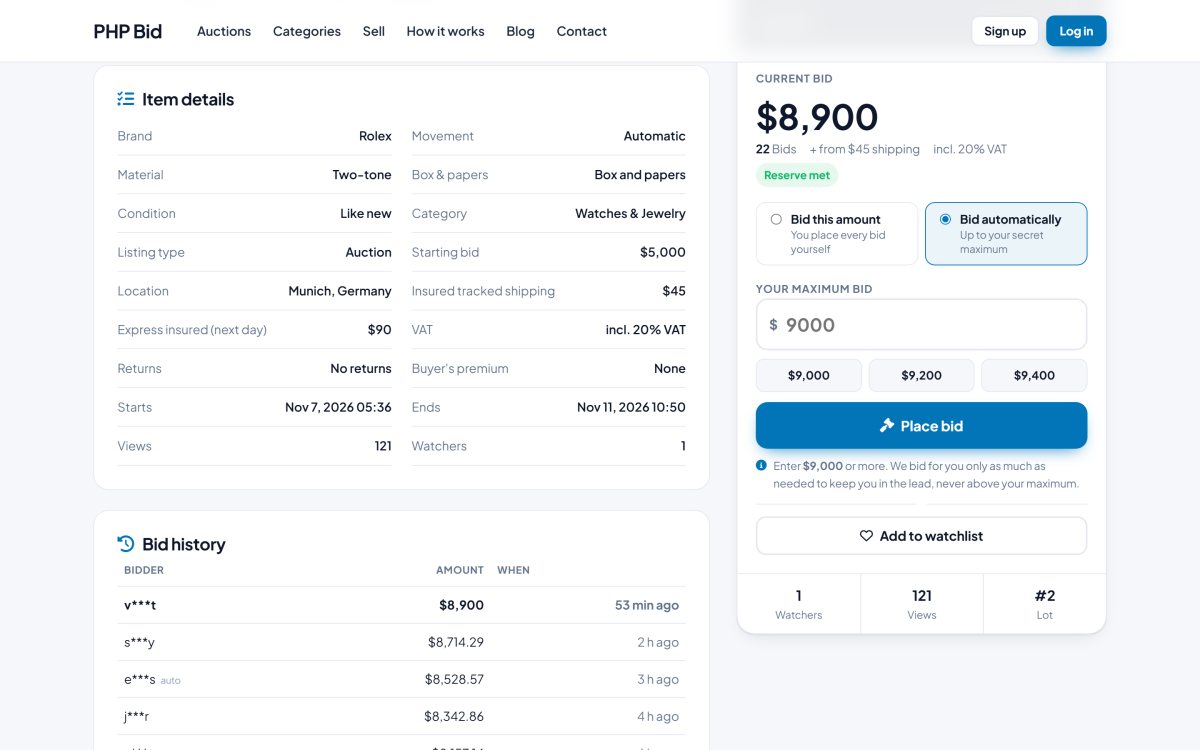
The buyer chooses the method on the purchase page and the total updates at once. Until the buyer chooses, the cheapest option is used.