General settings, design, members and e-mail
Settings › Configuration Options holds every rule of your website, sorted in eight tabs. This chapter covers the general tabs; the auction, fees and VAT tabs have their own chapters.
Menu Settings › Configuration Options
The tabs are: General Settings, Languages & URLs, Design, Auction rules, Currency & fees, VAT & shipping, Members and E-mail & privacy. Click Save at the bottom after changes.
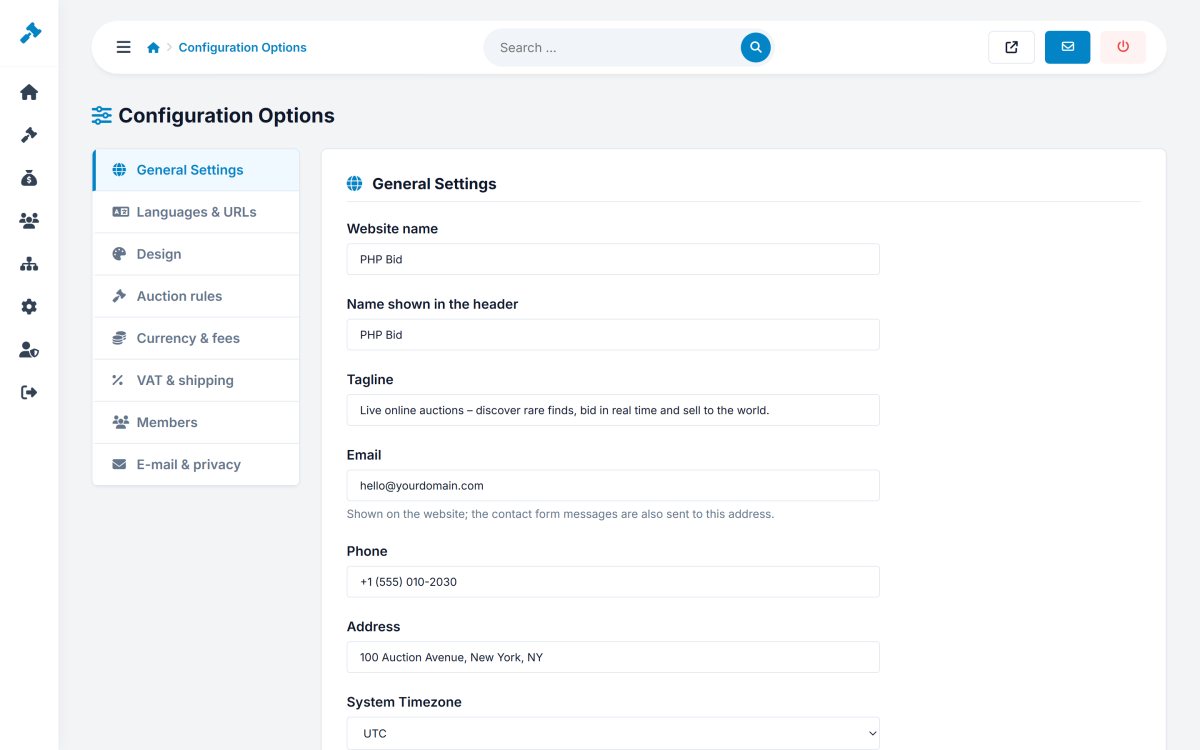
General Settings
| Setting | Explanation |
|---|---|
| Website name | Used in the page titles, e-mails and invoices. |
| Name shown in the header | The logo text when no logo image is uploaded. |
| Tagline | Short description of your marketplace, used in the hero and as default meta description. |
| Shown on the website; the contact form messages are also sent there. | |
| Phone, Address | Shown on the contact page and in the footer. |
| System Timezone | The start and end times of all auctions use this time zone. Set it before your first auctions. |
Languages & URLs
| Setting | Explanation |
|---|---|
| Multi-language website | Shows the language switch so visitors choose their language. See Languages. |
| Default language | The language of first-time visitors. |
| Search engine friendly URLs | Short URLs like /en-auction-omega-seamaster-12. Needs the .htaccess file (Apache mod_rewrite). |
| Show "Home" in the menu | Adds a Home link to the main menu. |
| Maintenance mode | Visitors see a "we will be back soon" page; you still see the site while logged in as administrator. |
Design
Choose the template, the primary, secondary and footer colours, and upload the logo, the favicon and the hero image of the home page. See Templates, logo and interface texts.
Members
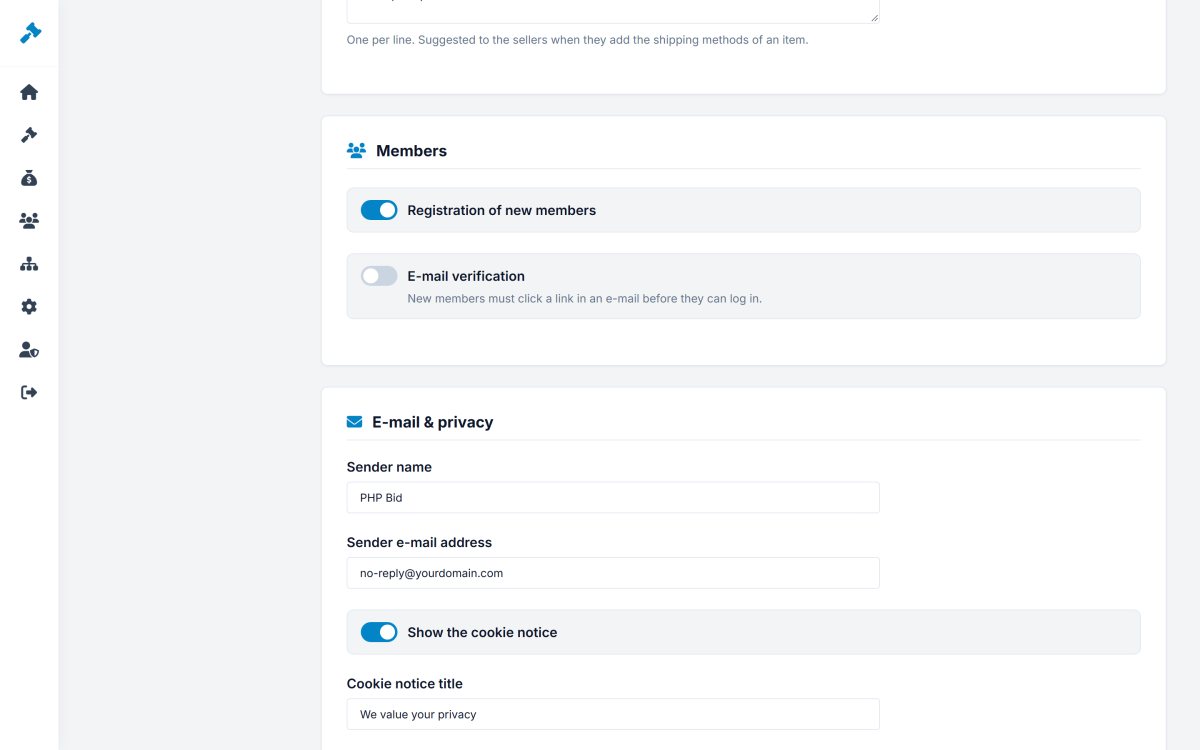
- Registration of new members - turn off to close the registrations (private auctions, invitation only).
- E-mail verification - new members must click a link in an e-mail before they can log in. Recommended against fake accounts.
E-mail & privacy
- Sender name and Sender e-mail address - the "From" of all e-mails, for example PHP Bid <no-reply@yourdomain.com>. Use an address of your own domain so the e-mails do not land in spam.
- Show the cookie notice with its title and text - for GDPR and the EU cookie rules.