Auction Software Features That Sell Items and Earn Fees

Explore every feature of PHP Bid, the self-hosted auction script for building and monetizing professional online auction websites - from automatic bidding and payments to the admin panel and SEO.

Automatic Proxy Bidding With Anti-Sniping Protection

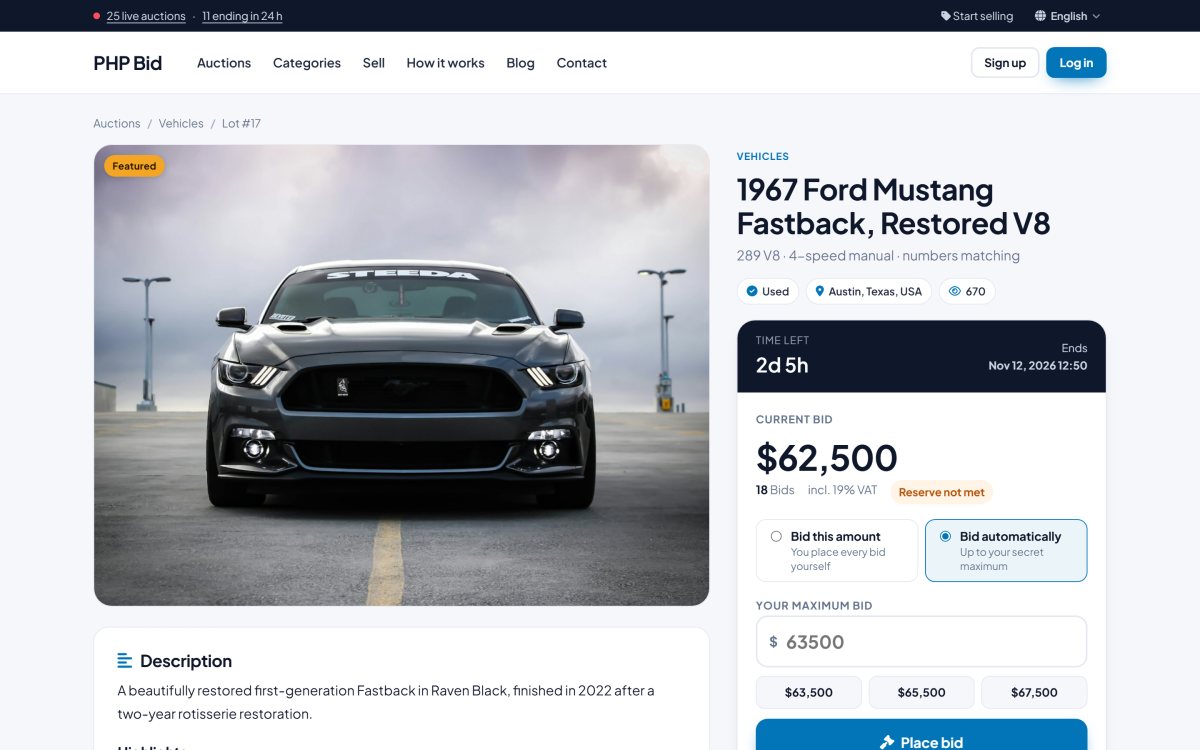
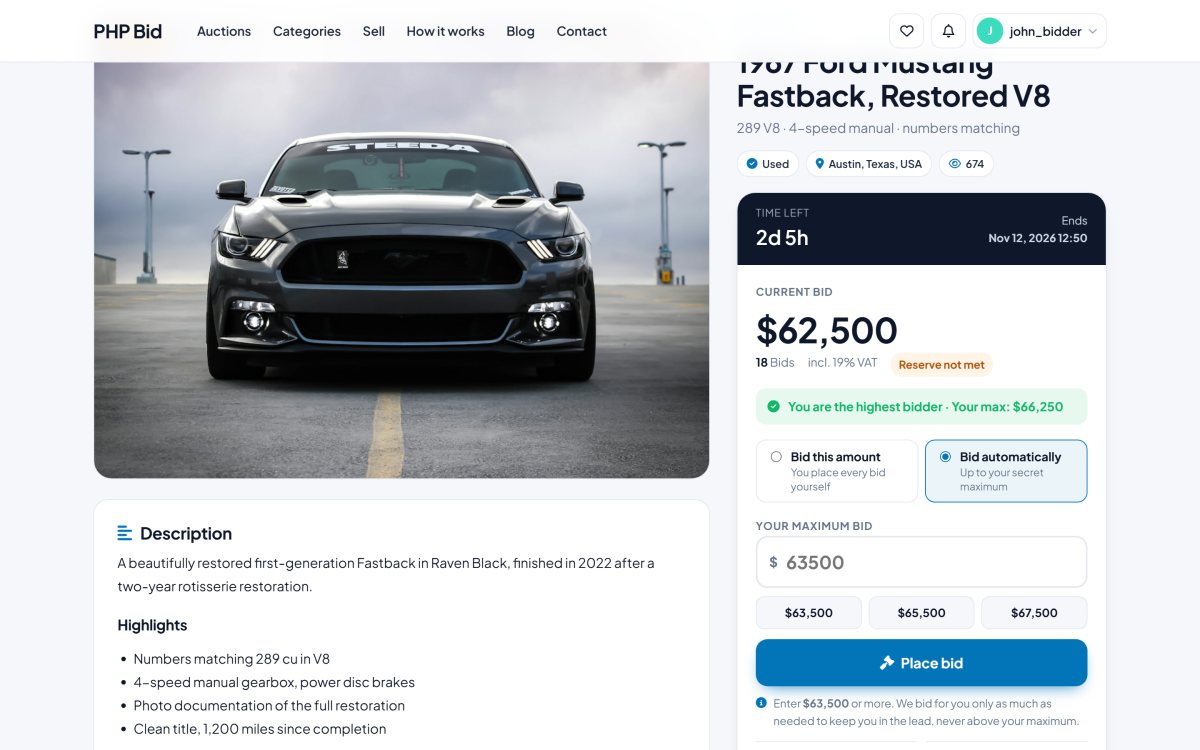
PHP Bid runs the same proven bidding engine as the biggest auction marketplaces. A bidder sets a secret maximum and the system bids for them, one increment at a time, only when someone outbids them and never above their limit - or they place an exact bid by hand. Every bid is processed in a database transaction, so two bids at the same second can never break the auction.

Anti-sniping protection extends an auction by a few minutes whenever a bid arrives in the final moments, so the best offer wins, not the fastest click. Increment tables, minimum next bids and live price updates keep every auction clear and fair.

  • Automatic (proxy) bidding up to a secret maximum
  • Exact bids for bidders who want full manual control
  • Anti-sniping: late bids extend the auction automatically
  • Configurable bid increment table (e.g. $5 steps from $100)
  • Live price, bid count and countdown without reloading the page
  • Outbid e-mails that bring bidders straight back
php bid feature: automatic proxy bidding with anti-sniping protection

Seller Commissions, Buyer's Premium, Listing and Featured Fees

Make money the way the big marketplaces do. PHP Bid combines four revenue streams that you switch on and price yourself: a commission on every sale paid by the seller, a buyer's premium paid by the winner, a listing fee for every new item, and a featured upgrade that puts a listing on the home page.

Every fee is invoiced automatically at the right moment, with VAT if you charge it, and paid online by card, PayPal or bank transfer. Members with unpaid invoices can be blocked from listing new items after the number of days you choose.

  • Seller commission in % of the final price
  • Buyer's premium in % - the model of the big auction houses
  • Listing fee per item, paid before the listing goes online
  • Featured upgrade fee for home page placement
  • VAT on all your fees, shown on every invoice
  • Automatic block for members with overdue invoices
php bid feature: seller commissions, buyer's premium, listing and featured fees

Stripe, PayPal and Bank Transfer Payments

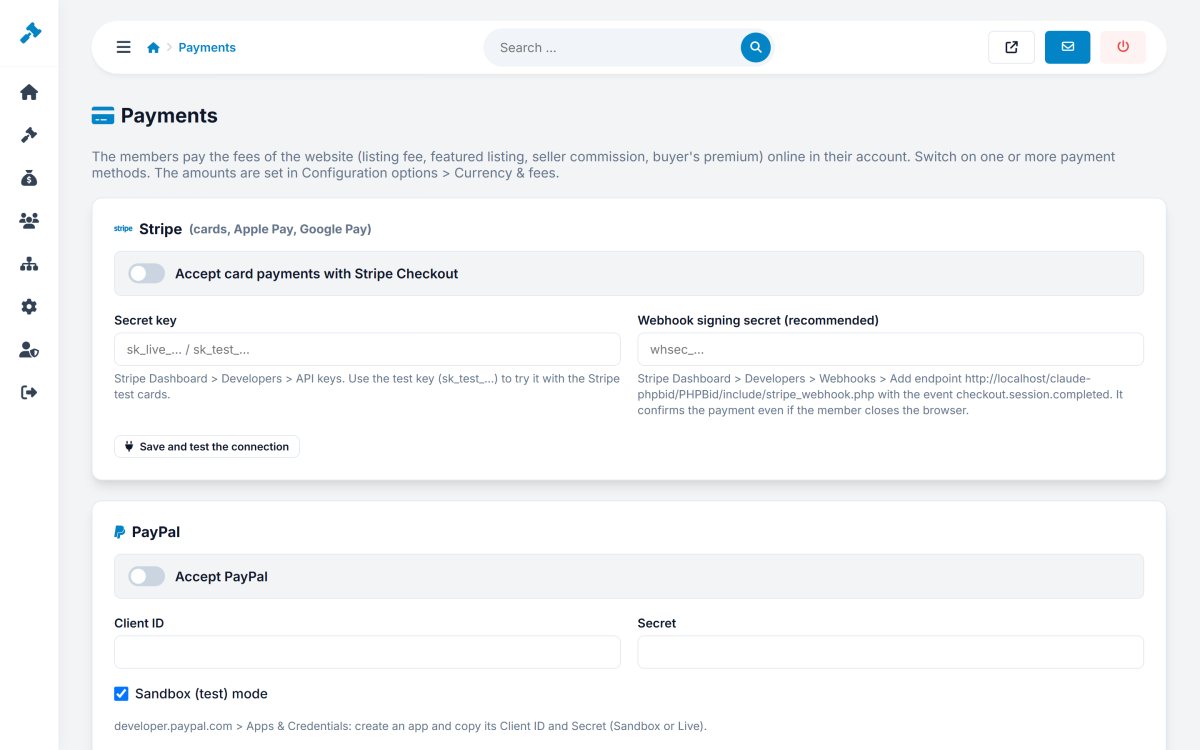
Members pay their invoices online in seconds. PHP Bid integrates Stripe Checkout for card payments (with Apple Pay and Google Pay where enabled in your Stripe account), the PayPal Orders API, and classic bank transfer for larger amounts - each one can be switched on separately.

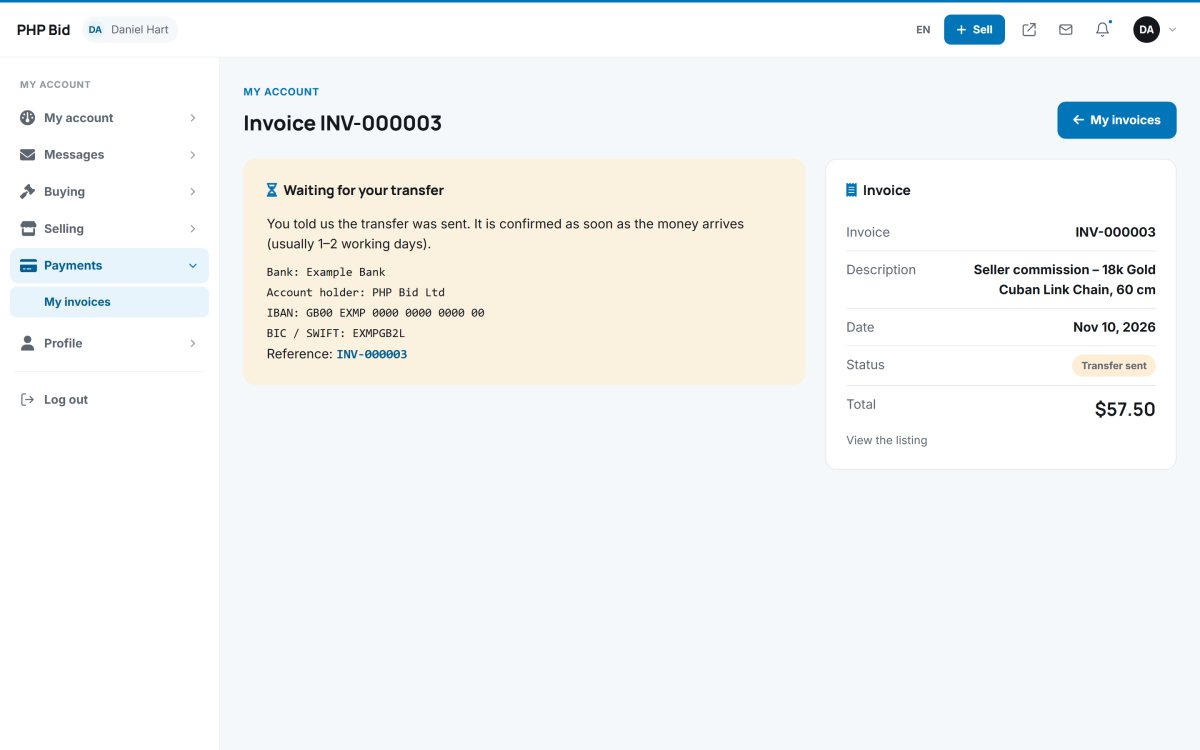
Bank transfers show your bank details and a unique payment reference; when the money arrives you confirm it with one click. Stripe payments are confirmed by a secure, signed webhook, so invoices are marked as paid even if the buyer closes the browser.

  • Stripe Checkout for cards (Apple Pay and Google Pay where enabled)
  • PayPal with sandbox mode for testing
  • Bank transfer with unique reference and one-click confirmation
  • Secure Stripe webhook with signature check
  • Test buttons for your API keys in the admin panel
  • Clear payment pages in the members area
php bid feature: stripe, paypal and bank transfer payments

Buy Now and Fixed-Price Listings Next to Auctions

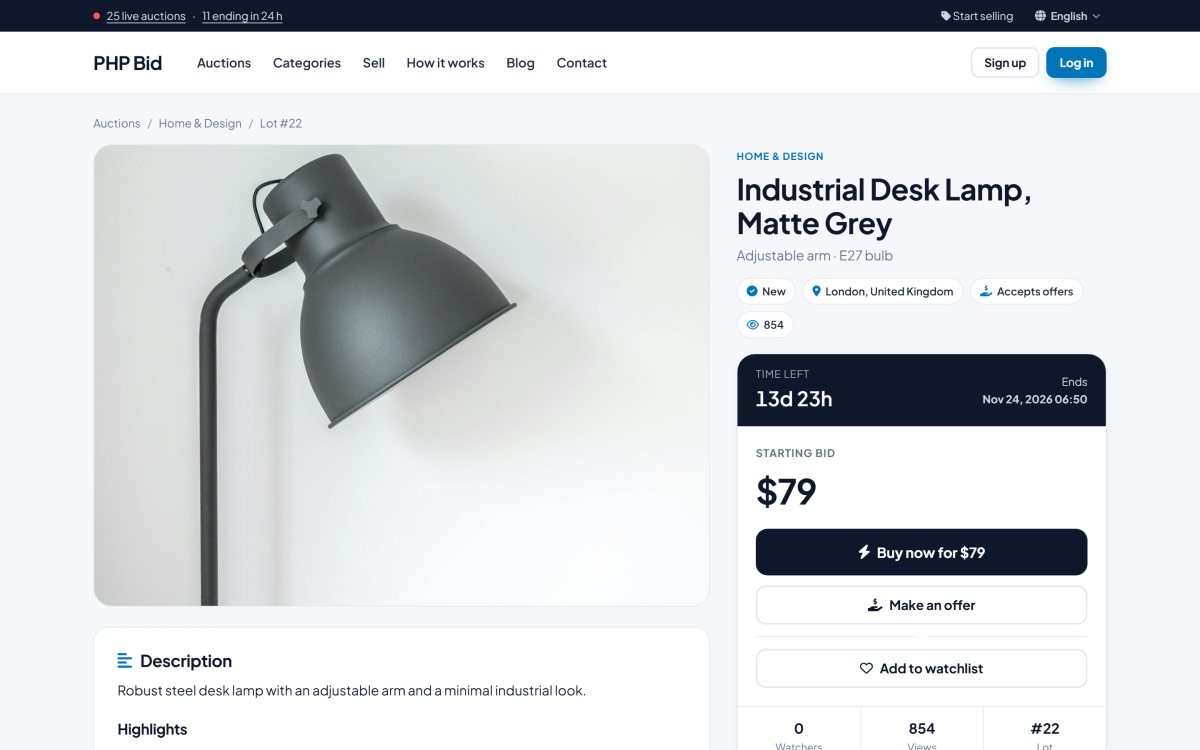
Not every buyer wants to wait. Sellers can add a Buy Now price to an auction, available until the first bid, or sell an item at a fixed price only. Both formats live side by side in the same marketplace, with the same members area and the same payments.

Buy Now closes the item instantly, creates the sale and the invoices, and notifies the buyer and the seller. Fixed-price items can accept offers too, so buyers can negotiate.

  • Buy Now price on auctions, until the first bid
  • Fixed-price listings for shop-style selling
  • Instant sale with confirmation and notifications
  • "Buy Now" filter in the search
  • Make an Offer on fixed-price items
  • Same fees, invoices and shipping as auctions
php bid feature: buy now and fixed-price listings next to auctions

Reserve Prices and No-Reserve Auctions

Sellers can protect valuable items with a secret reserve price. Bidders see "Reserve met" or "Reserve not met" - never the amount - and the item only sells when the reserve is reached.

Listings without a reserve get a "No reserve" badge, one of the strongest attention grabbers in the auction world, and buyers can filter the search by it.

  • Secret reserve price per listing
  • Live "Reserve met / not met" indicator
  • "No reserve" badge on cards and item pages
  • "No reserve" search filter
  • Automatic reserve handling in automatic bidding
  • Clear notifications when the reserve is not met
php bid feature: reserve prices and no-reserve auctions

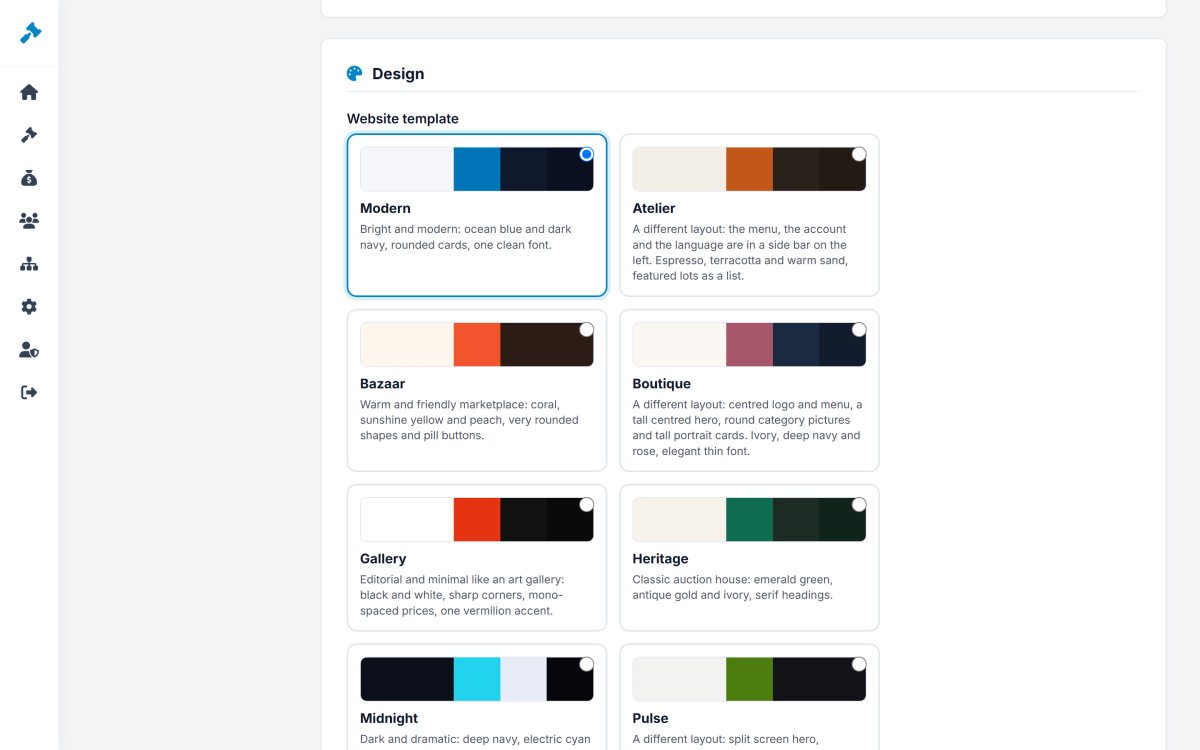
8 Professional Auction Website Templates

Choose the look of your marketplace with one click. PHP Bid includes 8 professional, mobile-friendly designs - from a bright modern marketplace to a classic auction house in emerald and gold, a dramatic dark theme and an editorial gallery style.

Three of them even use different layouts: a side-bar layout, a centred boutique layout and a split-screen sports layout. Add your logo, favicon and brand colors, and the auction site looks like your own business, not like a template.

  • Modern, Heritage, Midnight, Bazaar, Gallery, Atelier, Boutique and Pulse
  • Three completely different page layouts
  • Switch designs instantly in Admin > Settings > Design
  • Your own primary, dark and footer colors
  • Logo, favicon and hero image upload
  • Clean CSS files, easy to customize
php bid feature: 8 professional auction website templates

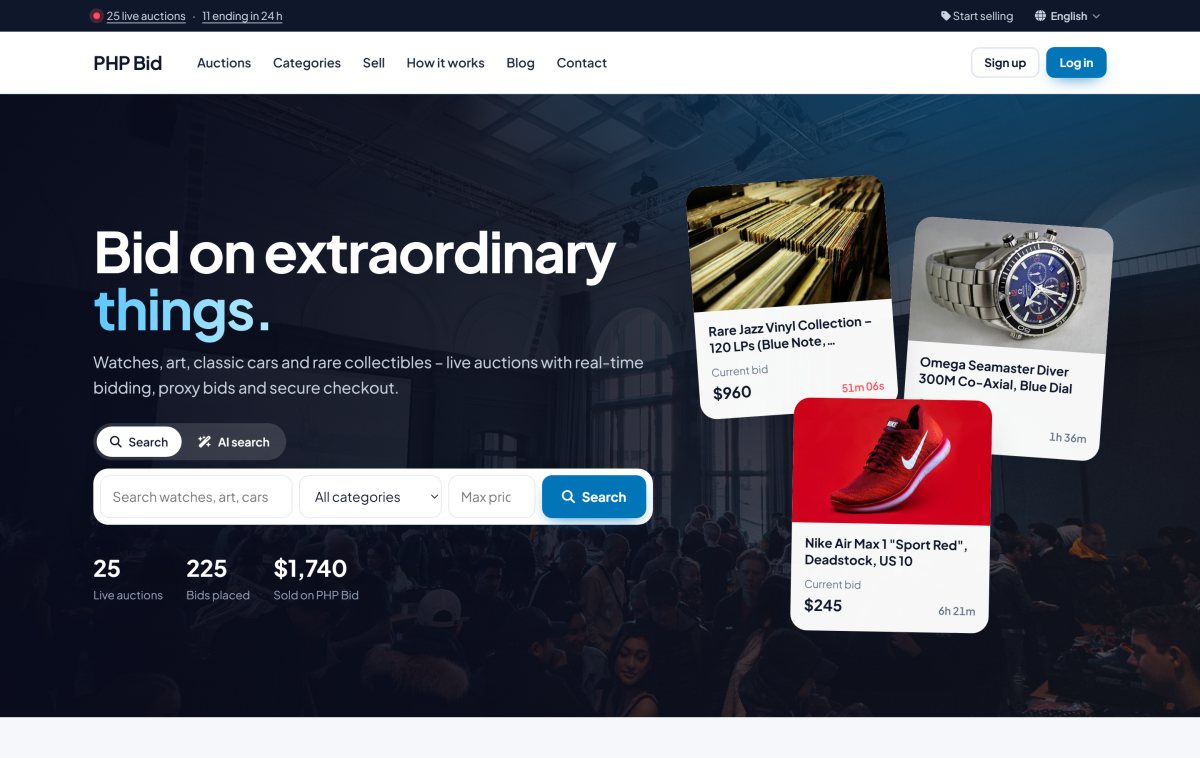
A Home Page That Turns Visitors Into Bidders

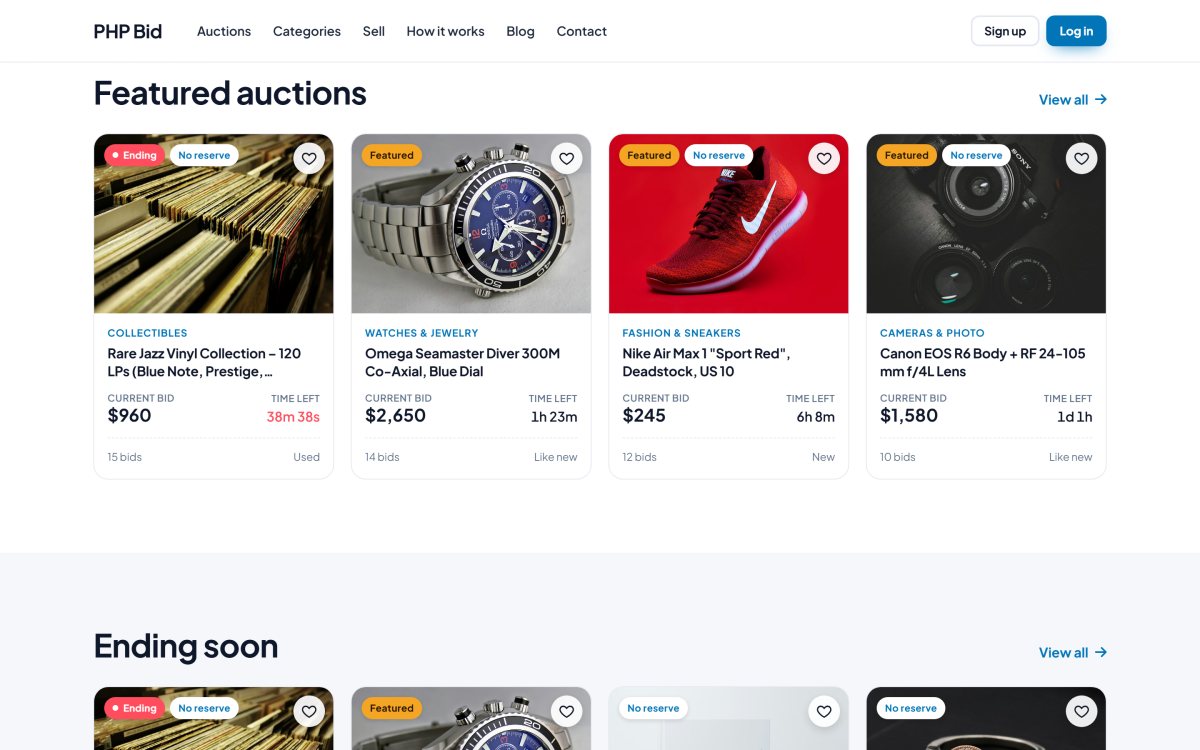
The home page opens with a strong hero, a classic search with an optional AI search tab, and live counters of auctions and bids. Below it, visitors browse the categories with pictures, featured auctions, auctions ending soon, new listings and auctions coming soon.

Every block is designed to create urgency and move visitors deeper into the site: countdowns tick in real time, "Ending" badges glow, and every card shows the current bid, the number of bids and the time left.

  • Hero with classic search and AI search tab
  • Live counters: live auctions and ending today
  • Categories with pictures
  • Featured, Ending soon, Just listed and Coming soon blocks
  • Recently viewed items for returning visitors
  • Watchlist hearts on every card
php bid feature: a home page that turns visitors into bidders

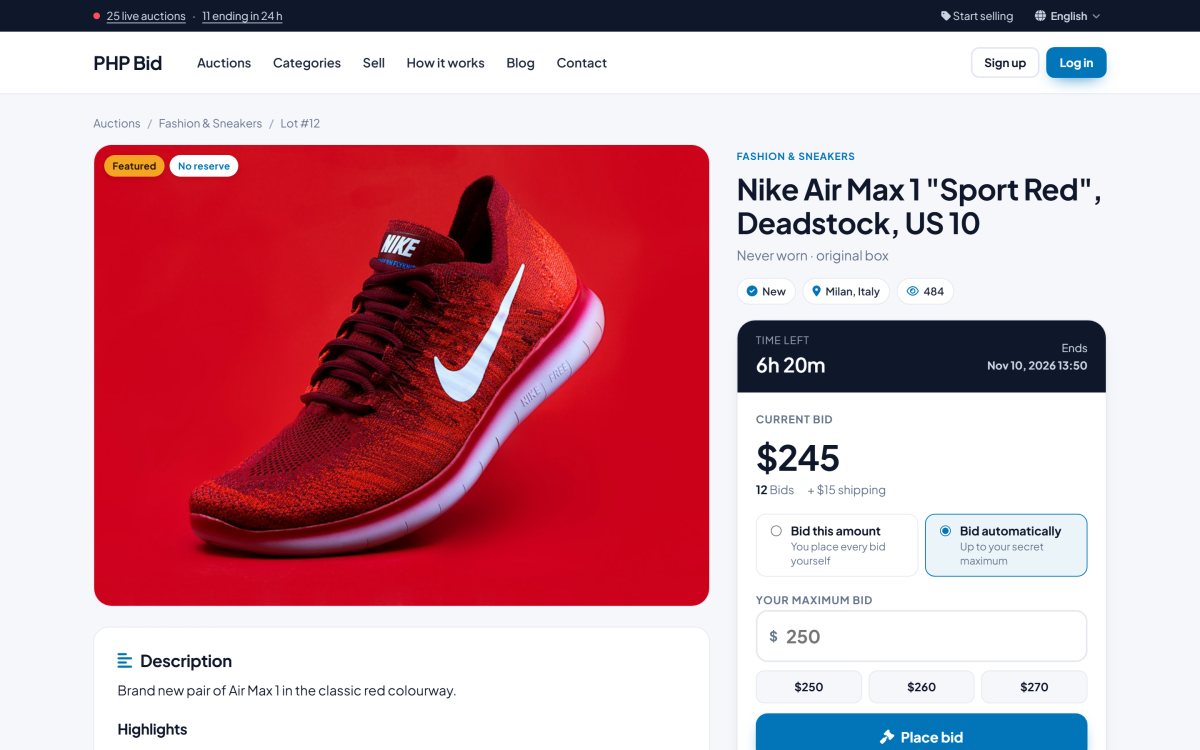
Live Auction Pages With Real-Time Countdown

Every item gets a rich, fast auction page: a large photo gallery, the bid box with a live countdown, the current price, the number of bids, the reserve status and quick-bid buttons. Prices and the countdown update automatically, without reloading the page.

Below the gallery buyers find the description, the item details, the bid history, the AI lot assistant and public questions and answers. The seller box shows the rating and a link to all items of the seller.

  • Photo gallery with thumbnails
  • Live countdown and price updates
  • Quick-bid buttons with the next minimum bids
  • Bid history with anonymized bidder names
  • Item details, shipping methods, VAT and returns
  • Share buttons for Facebook, X, WhatsApp and e-mail
php bid feature: live auction pages with real-time countdown

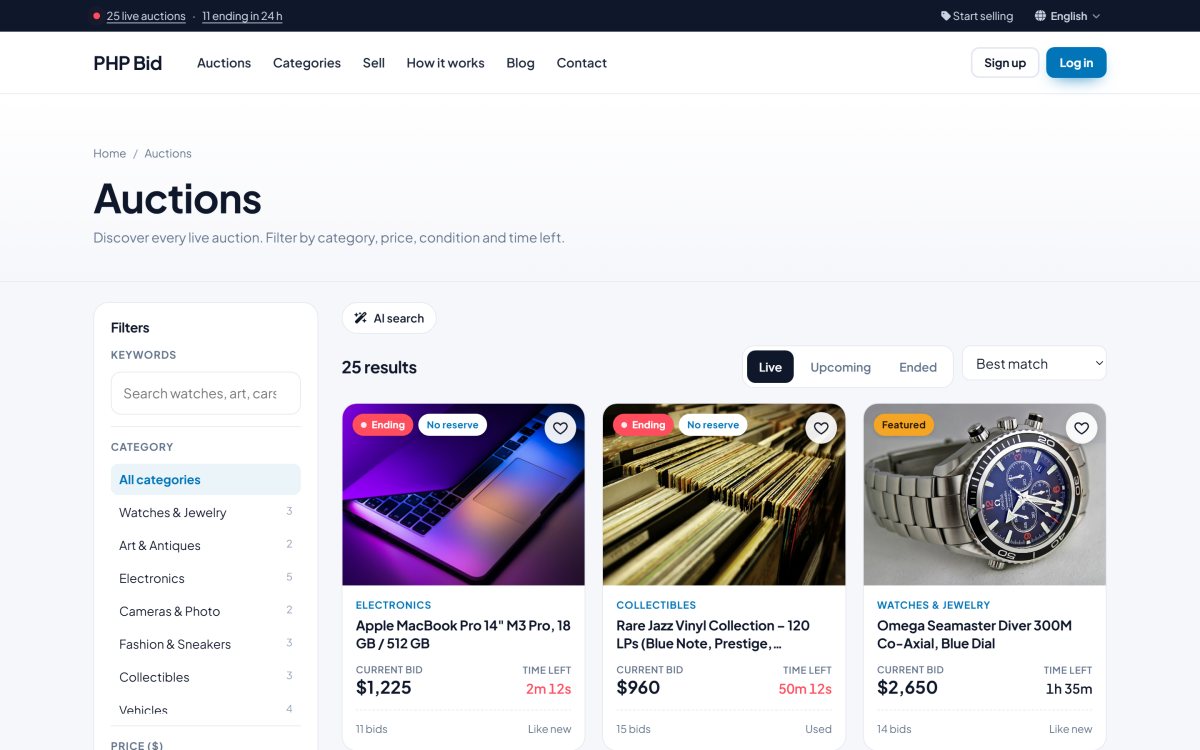
Advanced Search and Filters That Help Buyers Find Items Fast

The search page combines keywords with filters for category, price range, listing type (auction, no reserve, Buy Now), condition and time left, plus the fields of each category. Results can be sorted by ending time, newest, price, number of bids or popularity.

Active filters appear as chips that can be removed with one click, and tabs switch between live, upcoming and ended auctions. Members can save any search and get e-mail alerts for new matching items.

  • Keyword search in titles, subtitles, descriptions and categories
  • Category, price, type, condition and time-left filters
  • Category fields such as Make, Year or Brand
  • Six sort orders
  • Live, upcoming and ended tabs
  • Save this search with e-mail alerts
php bid feature: advanced search and filters that help buyers find items fast

Featured Listings That Sellers Pay For

Featured auctions appear in their own block on the home page, in the hero and with a "Featured" badge in the search results. Sellers can buy the upgrade when they list an item; the featured status is activated as soon as the invoice is paid.

The administrator can also feature any listing manually, for example to promote the best items of a sale.

  • Featured block and hero spots on the home page
  • "Featured" badge on cards and item pages
  • Paid upgrade in the sell form
  • Activated automatically when the invoice is paid
  • Featured filter in the search
  • Manual featuring by the administrator
php bid feature: featured listings that sellers pay for

A Mobile-First Auction Website

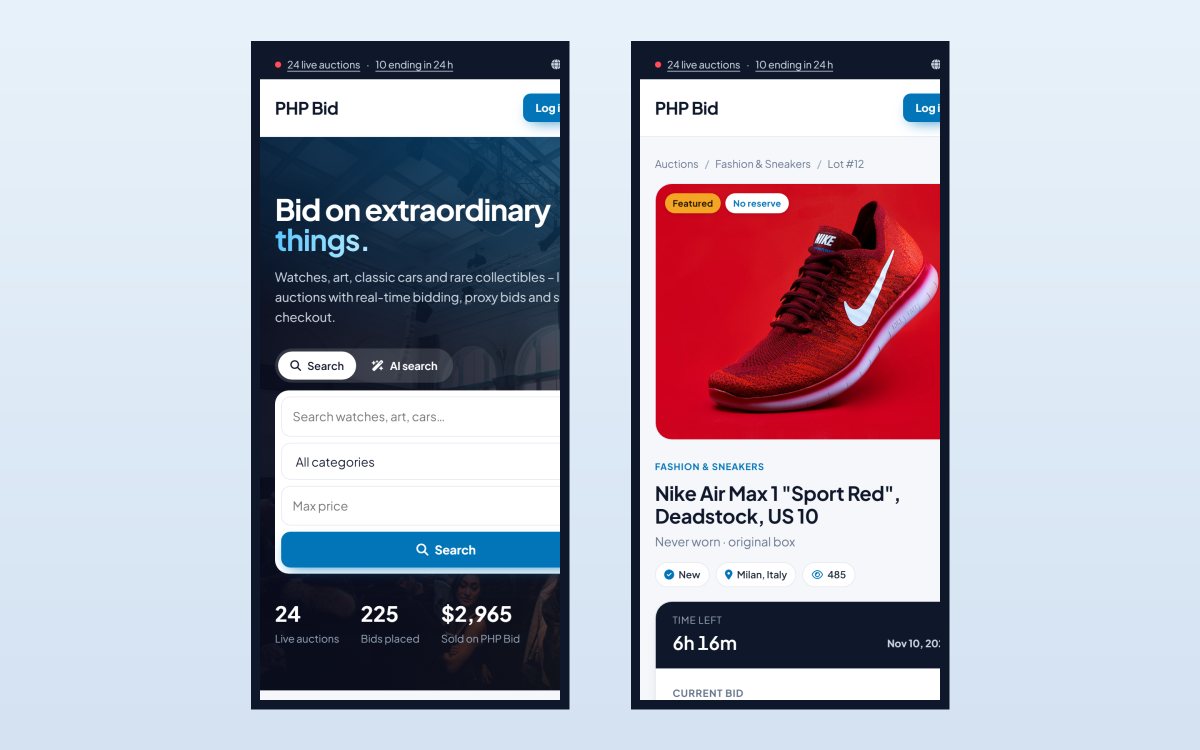
More than half of all bids are placed on a phone. Every page of PHP Bid - the home page, the search, the auction pages, the bid box, the members area and the admin panel - is fully responsive and touch-friendly.

The bid box stays easy to use on small screens, countdowns and prices keep updating, and the menus fold into a clean mobile navigation.

  • Responsive design in all 8 templates
  • Large, touch-friendly bid and Buy Now buttons
  • Mobile navigation and filters
  • Responsive members area and admin panel
  • Fast pages with optimized thumbnails
  • No app to install
php bid feature: a mobile-first auction website

A Sell Form That Makes Listing Effortless

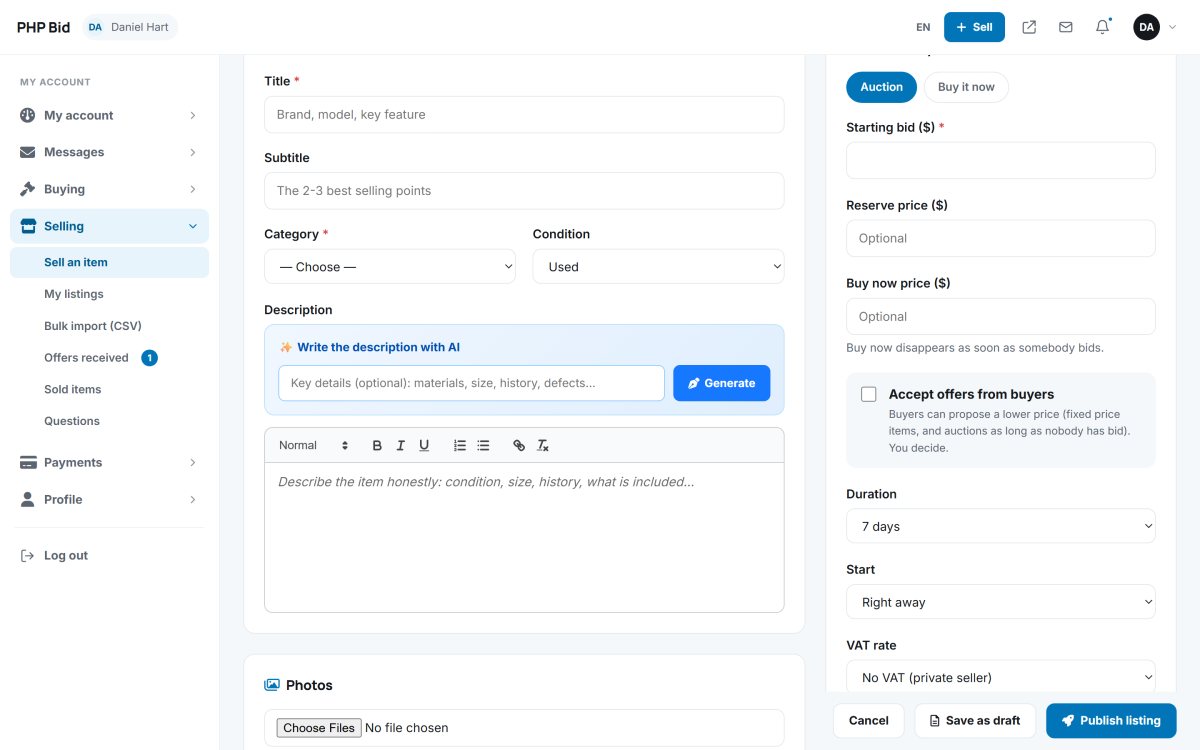
Listing an item takes a minute. The sell form combines the AI listing assistant with clear sections for the item details, the category fields, the description editor, the photos, the price and format, and the shipping methods.

Sellers choose an auction or a fixed price, a duration and a start time, can accept offers, add up to 10 photos and save the listing as a draft to finish later.

  • AI listing assistant and AI description writer
  • Auction or fixed price, with reserve and Buy Now
  • Up to 10 photos with live preview
  • Scheduled start and selectable durations
  • Shipping methods, VAT rate and returns
  • Save as draft and publish later
php bid feature: a sell form that makes listing effortless

A Complete Members Area for Buyers and Sellers

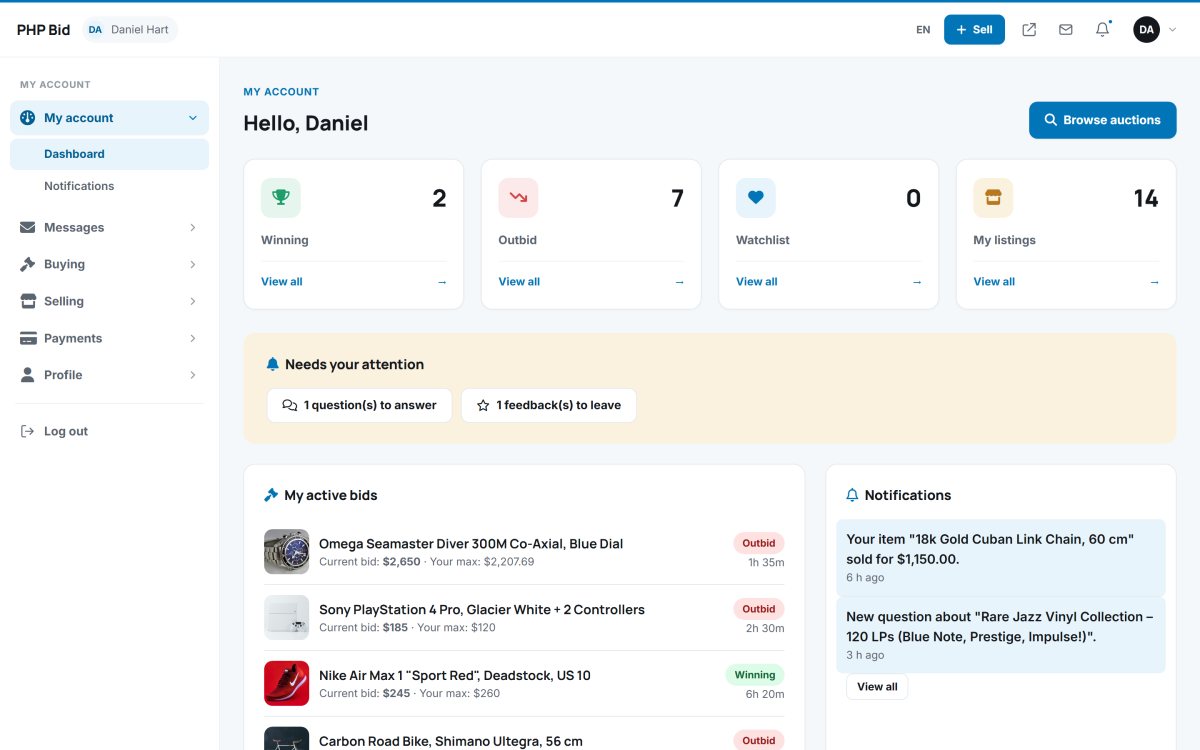
Every member gets a clean dashboard with their winning and outbid auctions, their watchlist, their listings and everything that needs their attention: invoices to pay, questions to answer, feedback to leave.

From the side menu they manage bids, won items, offers, saved searches, listings, bulk imports, sales, questions, messages, invoices, their profile and their password.

  • Dashboard with tiles and "Needs your attention"
  • Buying: bids, won items, offers, watchlist, saved searches
  • Selling: listings, drafts, import, offers, sales, questions
  • Messages, notifications and invoices
  • Profile, avatar and notification preferences
  • Unread counters in the menu
php bid feature: a complete members area for buyers and sellers

Watchlist and Ending-Soon Reminders

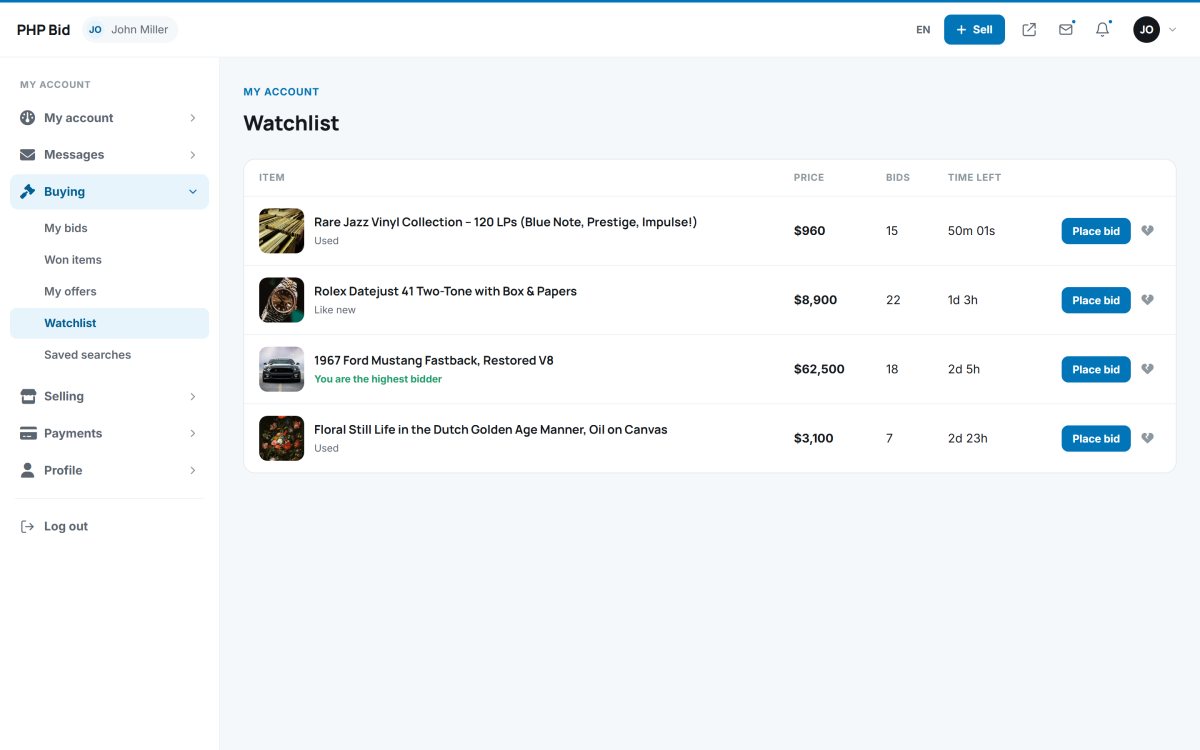
With one click on the heart, buyers add an item to their watchlist. Bidders watch the items they bid on automatically, and members get a reminder e-mail when a watched auction ends within the hour.

The watchlist shows the current price, the time left and the status of every item, with a direct link to bid.

  • Heart button on every card and item page
  • Automatic watching of items you bid on
  • Reminder e-mail one hour before the end
  • Watchlist page in the members area
  • Watcher counts shown to sellers
  • Members choose which e-mails they receive
php bid feature: watchlist and ending-soon reminders

Public Questions and Answers on Every Lot

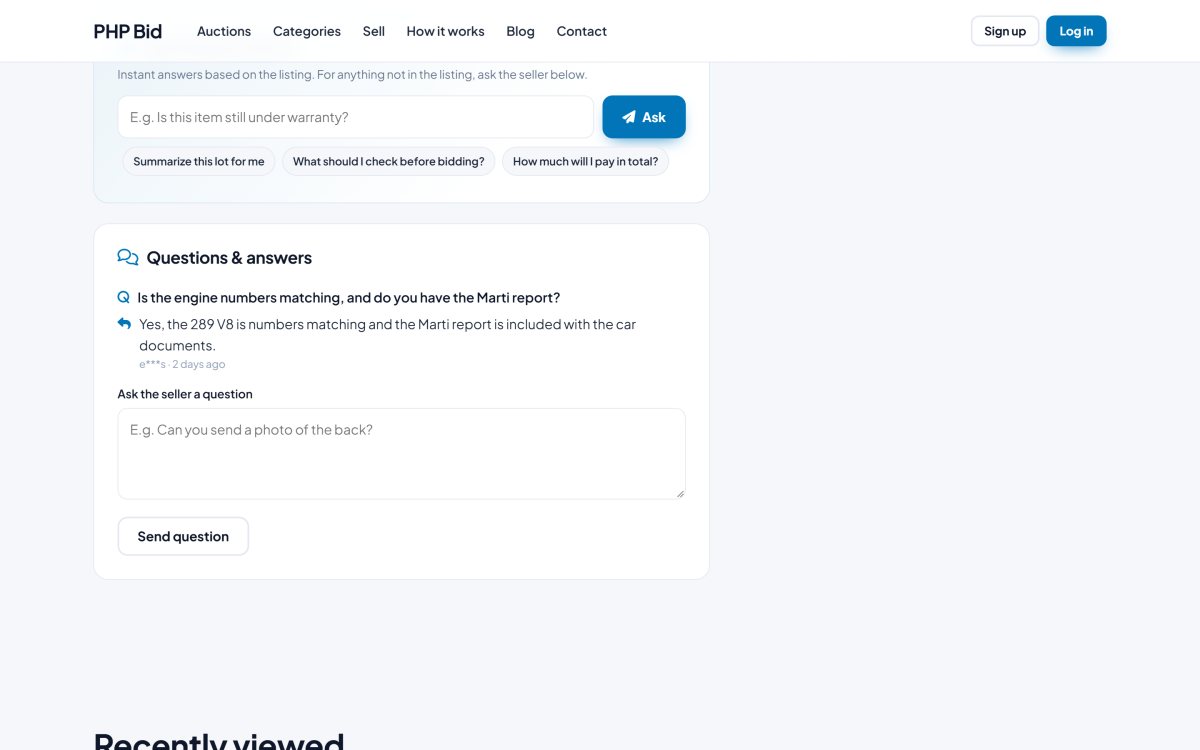
Buyers ask the seller a question directly on the item page. The seller gets a notification, answers in the members area, and the question and answer appear publicly on the page for all other buyers.

The administrator can moderate every question: edit it, answer it, hide it or delete it.

  • Ask a question form on every live auction
  • Notifications to the seller and the buyer
  • Answers shown publicly on the item page
  • Questions page in the members area
  • Moderation table in the admin panel
  • Can be switched off in the settings
php bid feature: public questions and answers on every lot

A Clear Sale Workflow: Payment, Shipping, Tracking

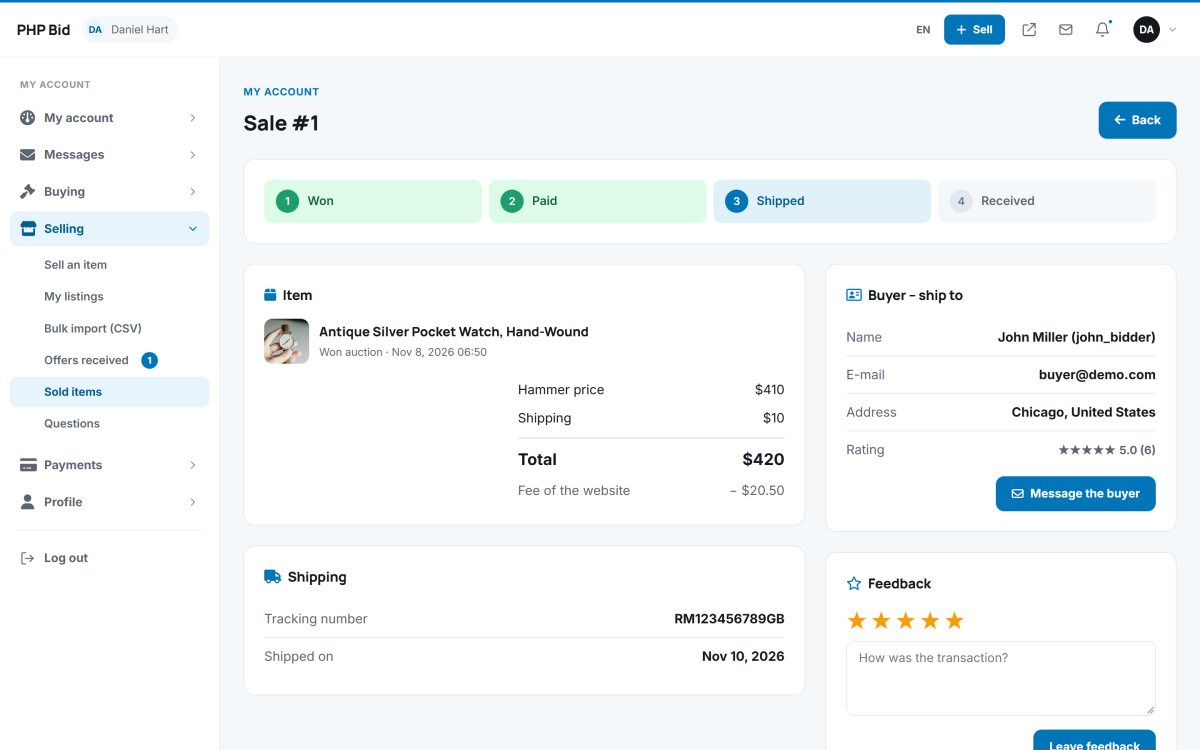
After the auction, the buyer and the seller follow a simple, guided process: won, paid, shipped, received. The buyer sees the total with the buyer's premium, shipping and VAT, chooses the shipping method and tells the seller when the payment is sent.

The seller confirms the payment, enters the tracking number and marks the item as shipped; the buyer confirms the reception. Every step sends a notification.

  • Step-by-step progress bar for every sale
  • Total with premium, shipping and VAT
  • Shipping method choice for the buyer
  • Tracking number and shipping note
  • Contact details of both parties
  • Message buttons and cancellation by the seller
php bid feature: a clear sale workflow: payment, shipping, tracking

Seller Ratings, Feedback and Profiles

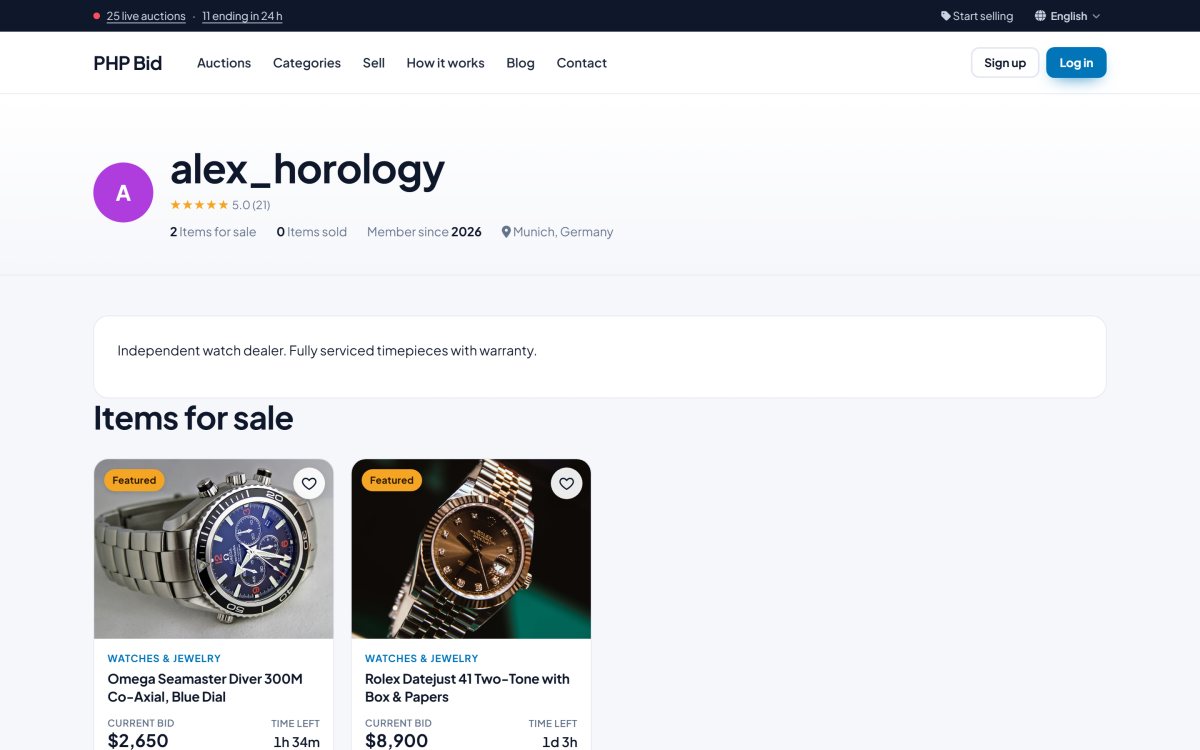
After a paid sale, buyers and sellers rate each other with one to five stars and a comment. The average rating and the number of ratings appear on every item page and on the public seller profile.

The seller profile shows the seller's live items, rating, country and member-since date.

  • Five-star ratings with comments
  • Ratings shown on item pages and cards
  • Public seller profiles with all live items
  • Feedback page in the members area
  • Feedback moderation in the admin panel
  • Ratings in the offer and sale screens
php bid feature: seller ratings, feedback and profiles

Automatic Invoices and Online Billing

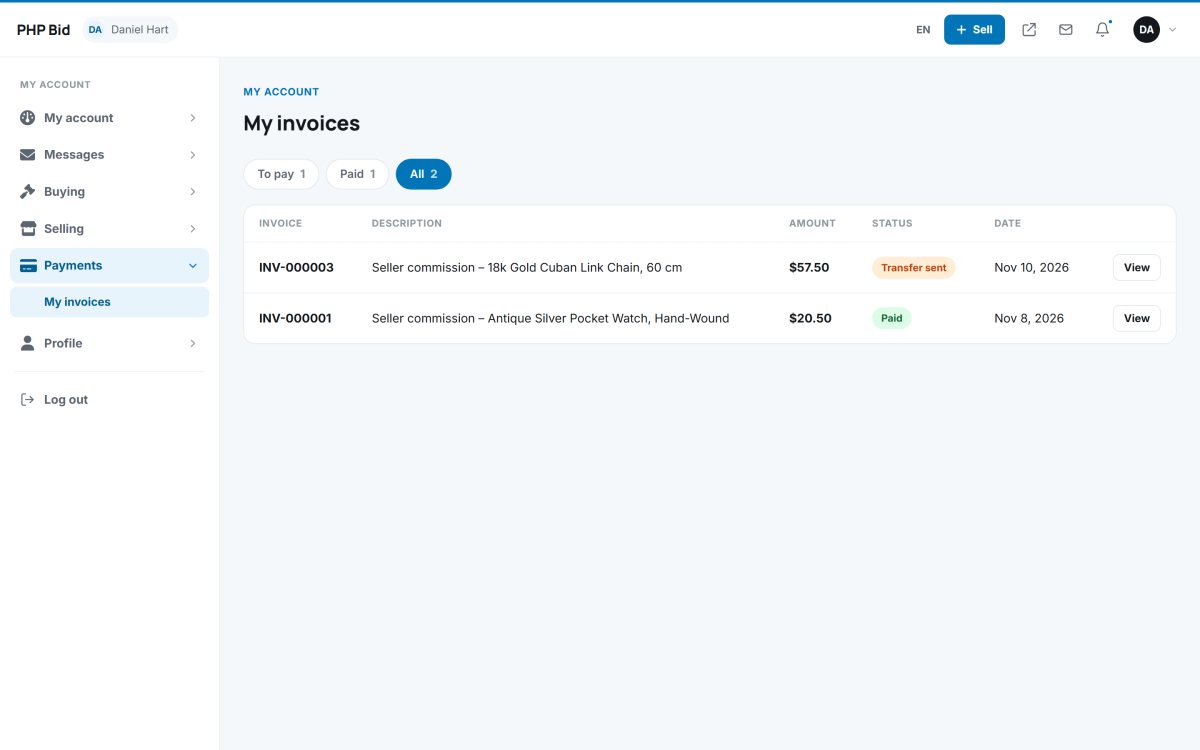
Members find all their invoices in Payments > My invoices: listing fees, featured upgrades, commissions and buyer's premiums, with the status of each one and a Pay now button.

Each invoice shows the reference, the description, the net amount, the VAT and the total, and can be paid by card, PayPal or bank transfer.

  • All fees as numbered invoices
  • Open, paid and all tabs
  • Pay now with Stripe, PayPal or bank transfer
  • Net amount, VAT and total on every invoice
  • Amount due on the dashboard
  • Automatic e-mail when an invoice is created
php bid feature: automatic invoices and online billing

Relist Unsold Items in One Click

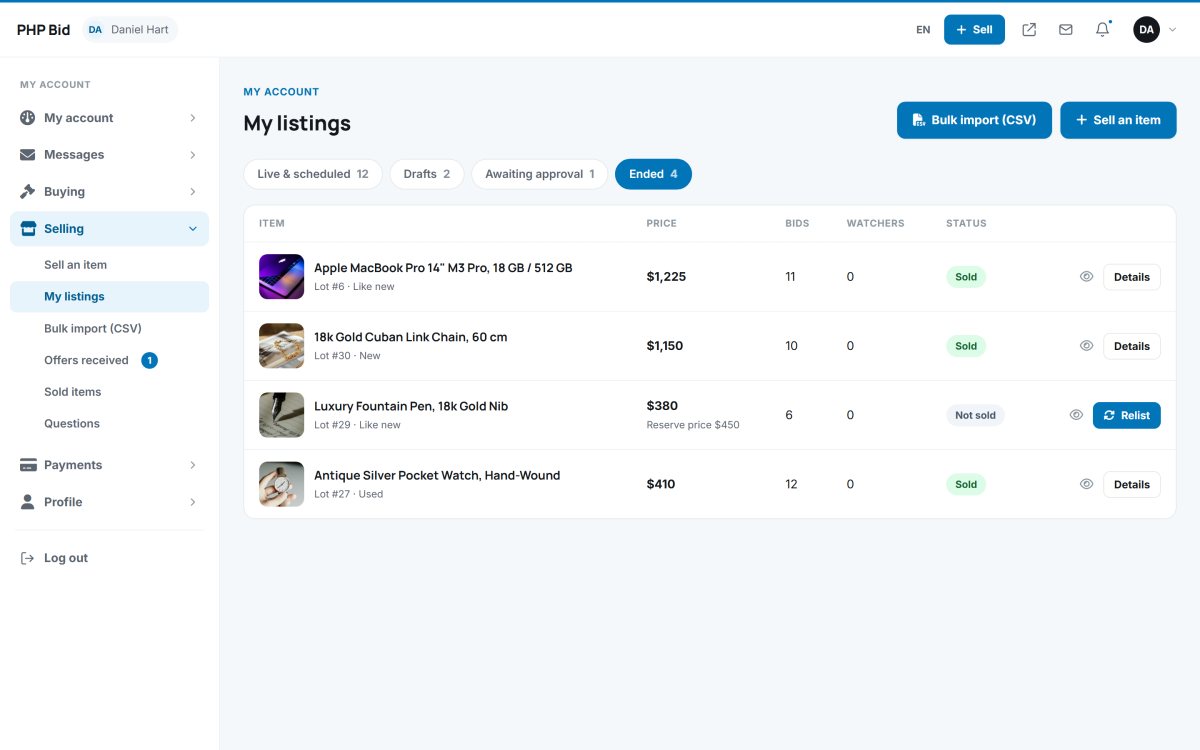
Items that didn't sell can be put back online with one click, with the same photos, description, fields, prices and duration. Sellers find them in My listings > Ended.
Unsold auctions notify the seller automatically, so no item is forgotten.

  • Relist button for unsold and cancelled items
  • Photos, fields and shipping methods copied
  • New dates calculated automatically
  • Listing fee and approval applied as usual
  • Live, drafts, waiting and ended tabs
  • End a listing early when there are no bids
php bid feature: relist unsold items in one click

E-mail and On-Site Notifications

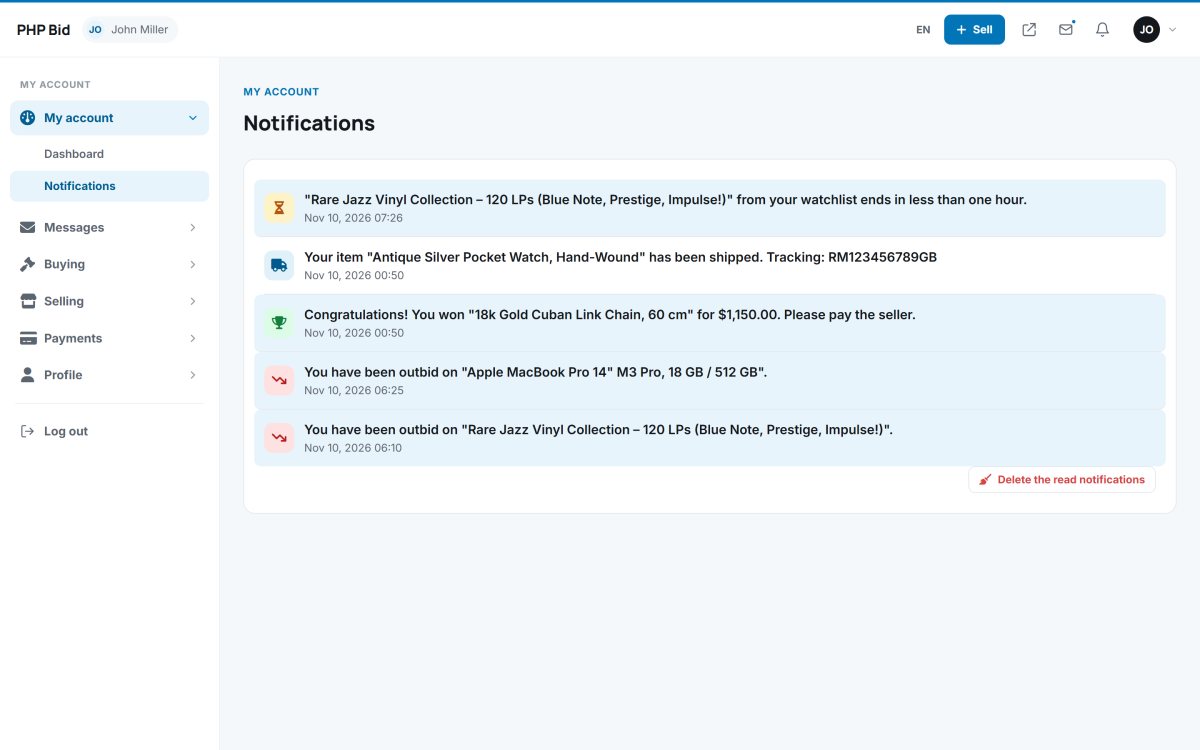
Members are notified of everything that matters: outbid, won, sold, unsold, ending soon, new questions and answers, offers, messages, payments, shipping, feedback and approvals - in their account and by e-mail.
A bell in the top bar shows unread notifications, and members choose which e-mails they receive.

  • Outbid, won, sold and ending-soon alerts
  • Offer, message, question and answer alerts
  • Payment, shipping and feedback alerts
  • Notification bell and notifications page
  • E-mail preferences per member
  • Branded HTML e-mails
php bid feature: e-mail and on-site notifications

An Admin Dashboard With Your Key Numbers

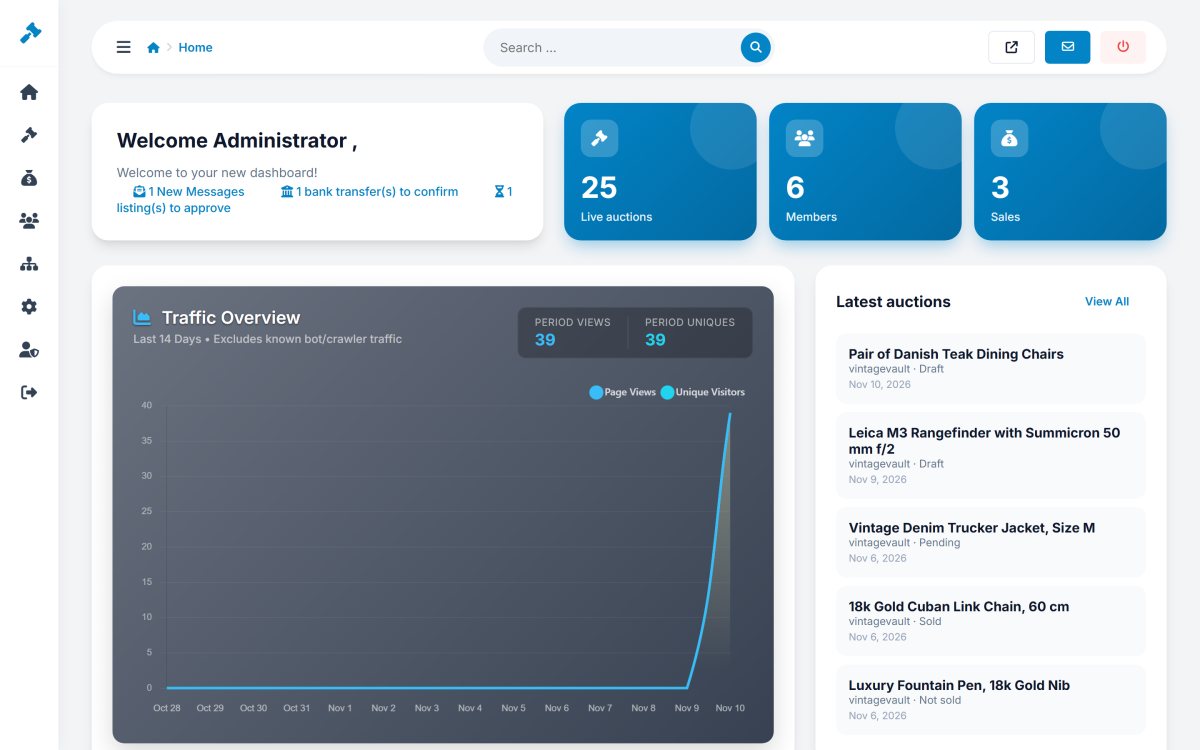
The dashboard shows the health of your marketplace at a glance: key tiles for auctions, members and sales, a traffic chart, the latest auctions and members, and the items that need your attention, like listings waiting for approval and bank transfers to confirm.

The admin panel shares the proven design of our other products, with a clear side menu, a search box and tiles that link to the right pages.

  • Key figures for auctions, members and sales
  • Listings waiting for approval
  • Bank transfers to confirm
  • Traffic chart, latest auctions and newest members
  • Quick links to every section
  • Responsive design for tablets and phones
php bid feature: an admin dashboard with your key numbers

An Approval Queue for New Listings

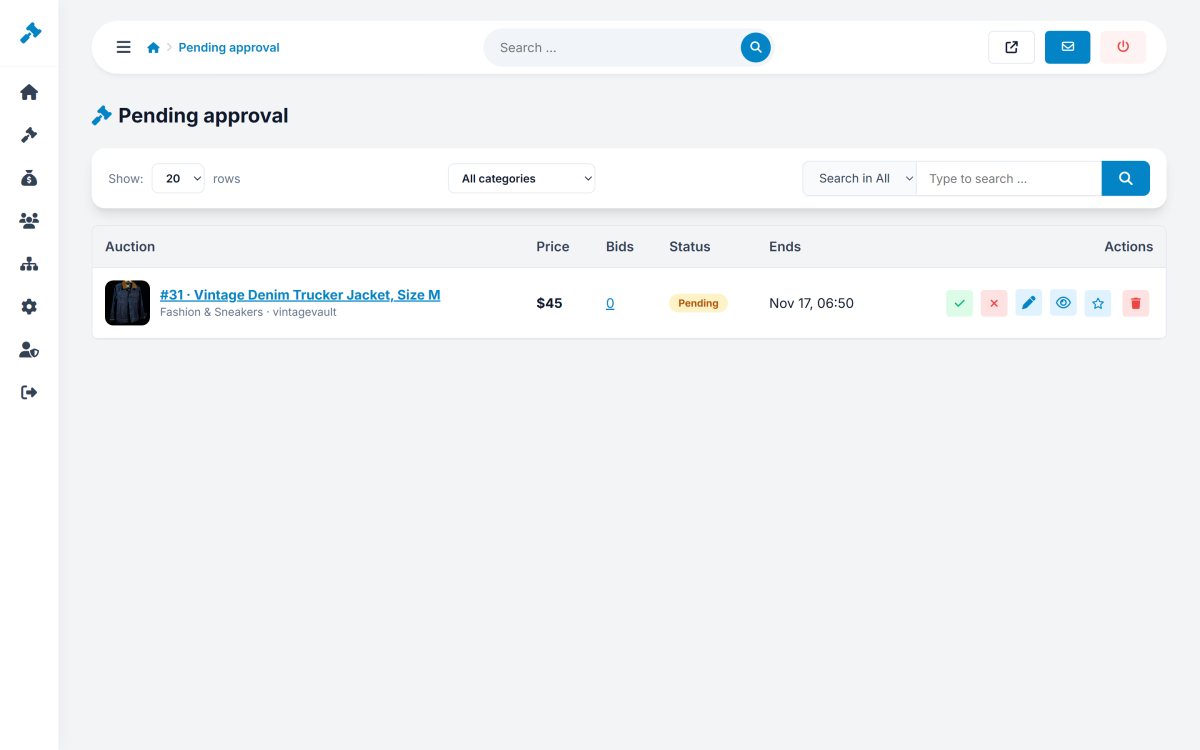
Switch on approval and every new listing waits for the administrator before it goes online. The pending page lists all of them with the seller, the price and the date; approve them, or reject them with a reason that the seller sees.

Listings with banned words go to the queue automatically with a note, and the AI moderation check gives a risk level for every listing.

  • Optional approval for all new listings
  • Approve or reject with a reason
  • The seller is notified and can correct the listing
  • Banned-word listings flagged automatically
  • AI moderation check in the edit page
  • Pending counter in the menu
php bid feature: an approval queue for new listings

Complete Auction Management

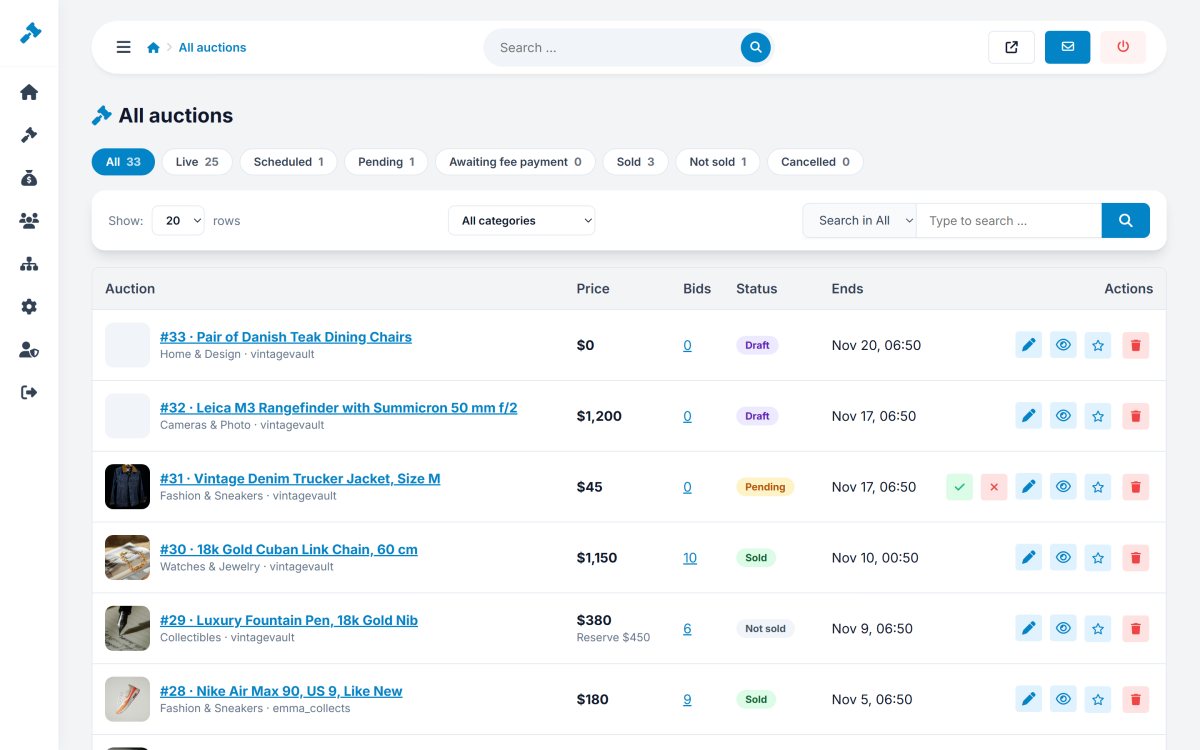
The auctions list shows every listing with its picture, seller, price, bids, end date and status, with search, status filters and pagination. Open any listing to edit every detail - even the dates, the status and the seller.

The administrator can also create listings for the website itself, with photos uploaded or added by URL, and import many at once from a CSV file.

  • Search and filter all auctions
  • Edit everything, including dates and status
  • Listings for the website itself
  • Photos by upload or by URL
  • Featured switch and per-listing bid increment
  • CSV import for the administrator
php bid feature: complete auction management

Bid Management and Bid Retraction

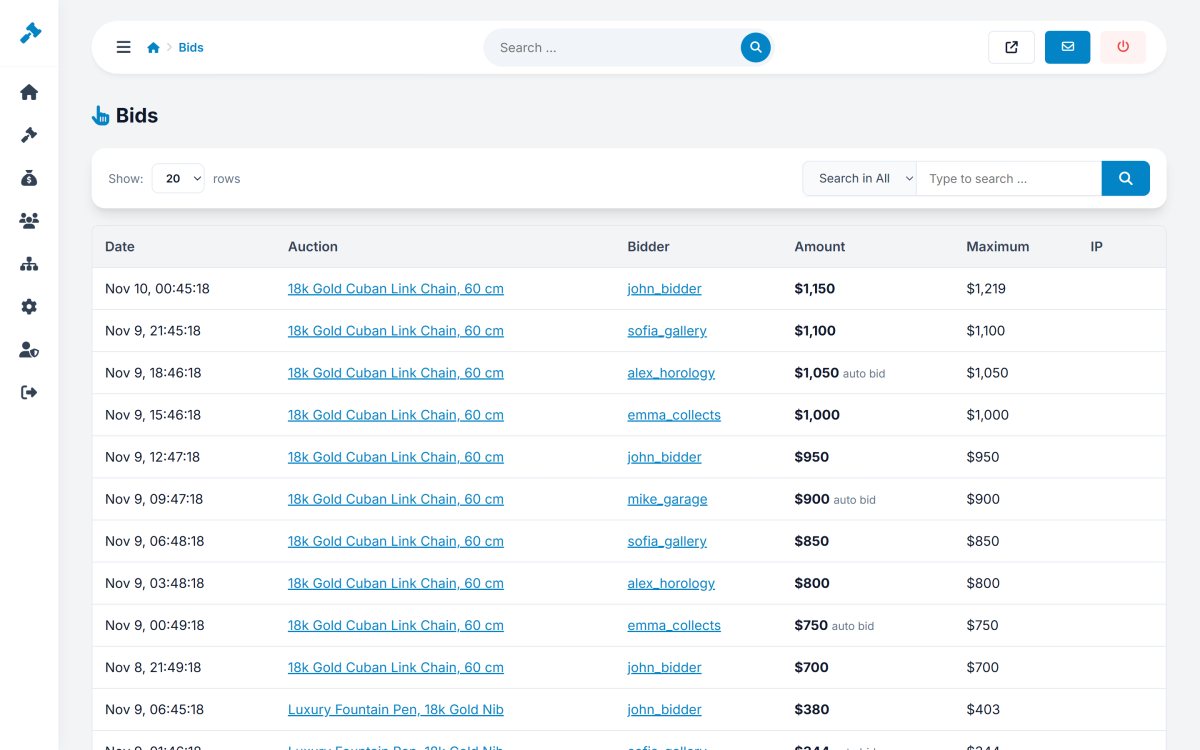
See every bid of the marketplace with the auction, the bidder, the amount, the maximum and whether it was placed automatically. Filter by auction or by member.

If a bidder makes a mistake, the administrator can retract the bid; the auction is recalculated automatically from the remaining maximum bids.

  • All bids with bidder, amount and maximum
  • Automatic bids marked separately
  • Filter by auction or member
  • Retract a bid with automatic recalculation
  • IP address of every bid
  • Links to the auction and the member
php bid feature: bid management and bid retraction

Sales Management by Status

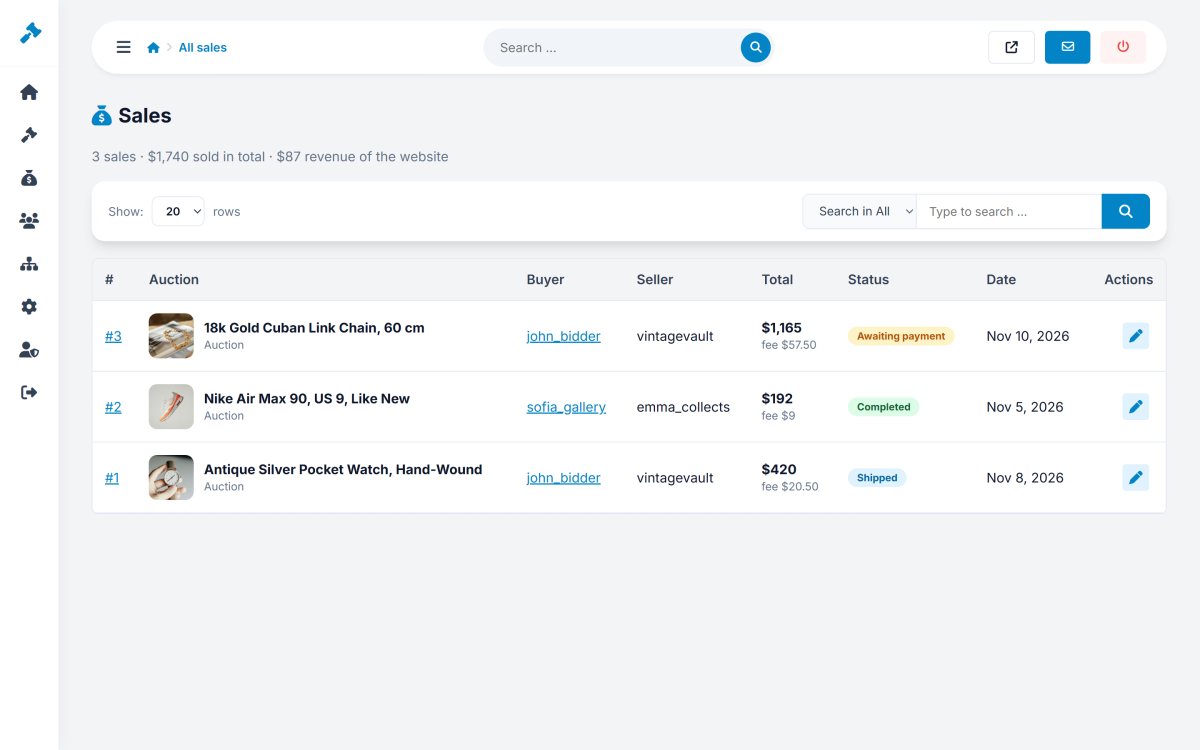
Every sale has its own page with the item, the buyer, the seller, the amounts and the status. Separate menu pages show the sales awaiting payment, to ship, shipped, completed and cancelled.

The administrator can update the status, see the tracking number and contact both parties.

  • All sales with search and pagination
  • Pages per status: awaiting payment, to ship, shipped …
  • Price, buyer's premium, shipping and commission
  • Buyer, seller and tracking details
  • Feedback moderation
  • Invoices of every sale
php bid feature: sales management by status

Invoice and Payment Control

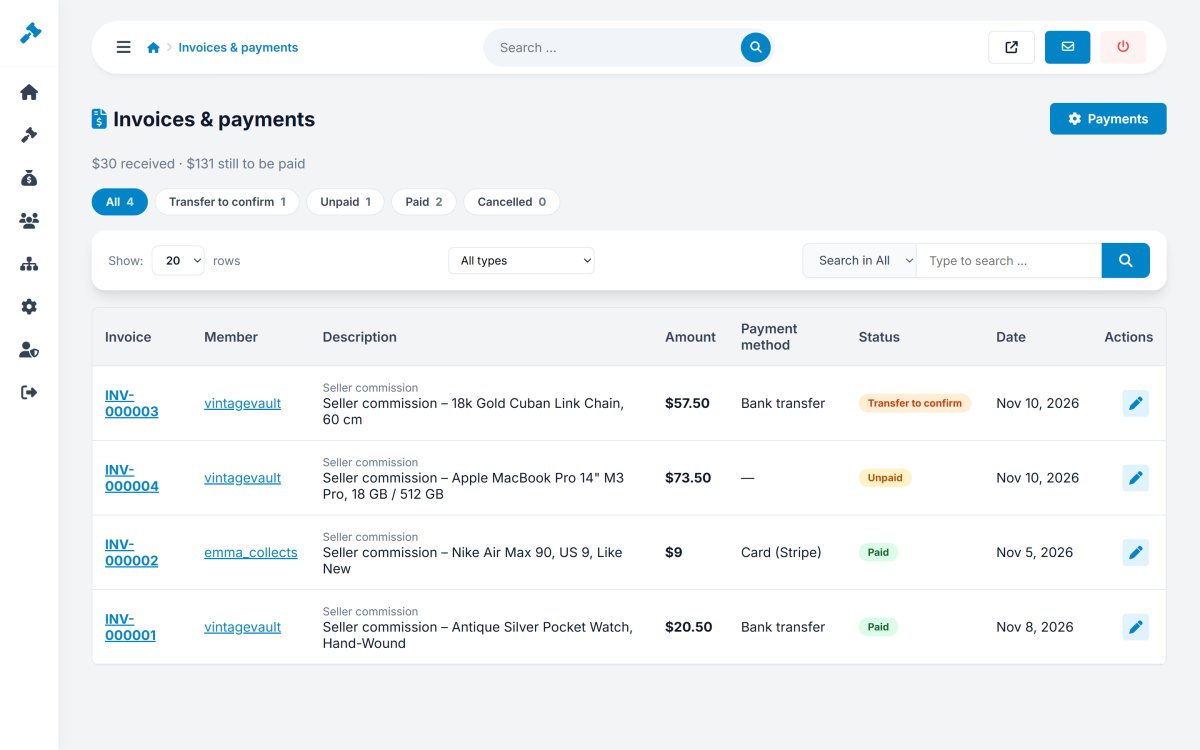
Admin > Sales > Invoices lists every invoice of the marketplace with its type, member, amount, VAT, status and payment method. Bank transfers waiting for confirmation are highlighted.

Confirm a transfer, reject it with a note, or cancel an invoice - the member is notified automatically.

  • Listing, commission and premium invoices
  • Totals of paid and open amounts
  • Confirm or reject bank transfers
  • Payment reference and member note
  • Net amount and VAT of every invoice
  • Payment settings for Stripe, PayPal and bank
php bid feature: invoice and payment control

Member Management With Seller and Buyer Filters

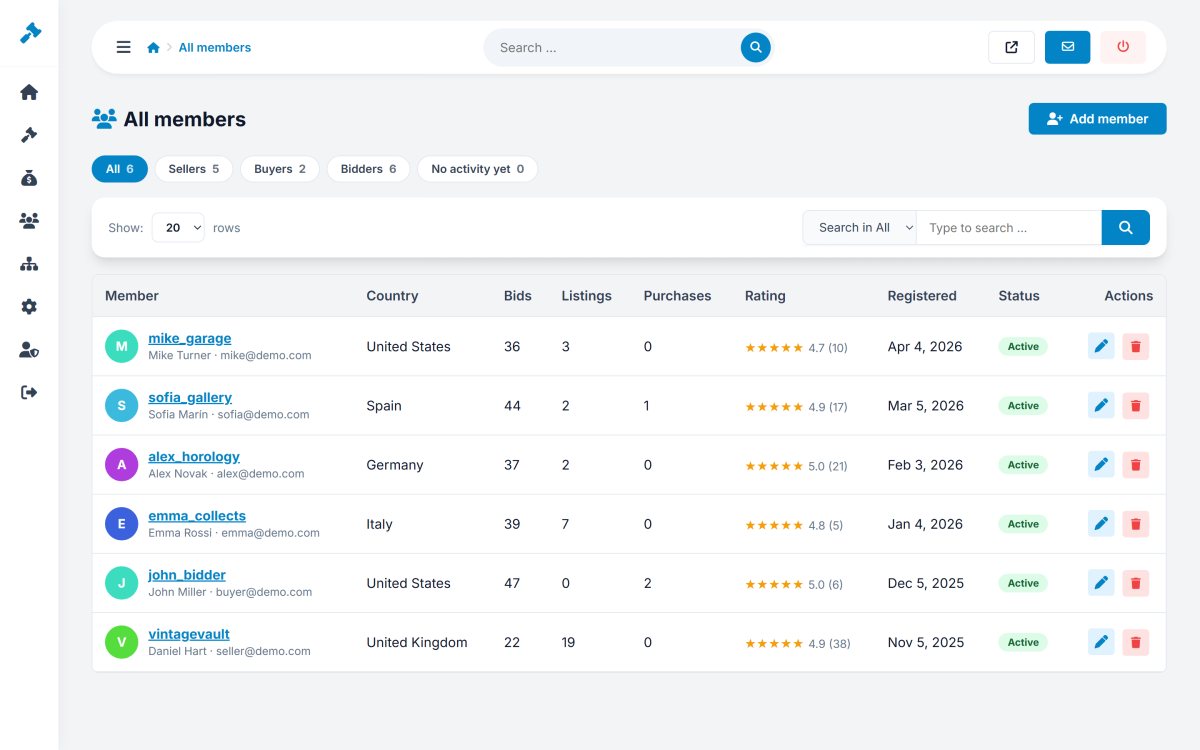
Search and filter all members, see who sells and who buys, and open any account to edit the details, the rating, the selling permission and the status.

Each member page shows their auctions, bids and sales, so you understand every account in seconds.

  • Filter by sellers and buyers
  • Edit details, status and selling permission
  • Activity: listings, bids and sales
  • Disable accounts instantly
  • Login log of members
  • E-mail verification option
php bid feature: member management with seller and buyer filters

Category Fields for Specialist Marketplaces

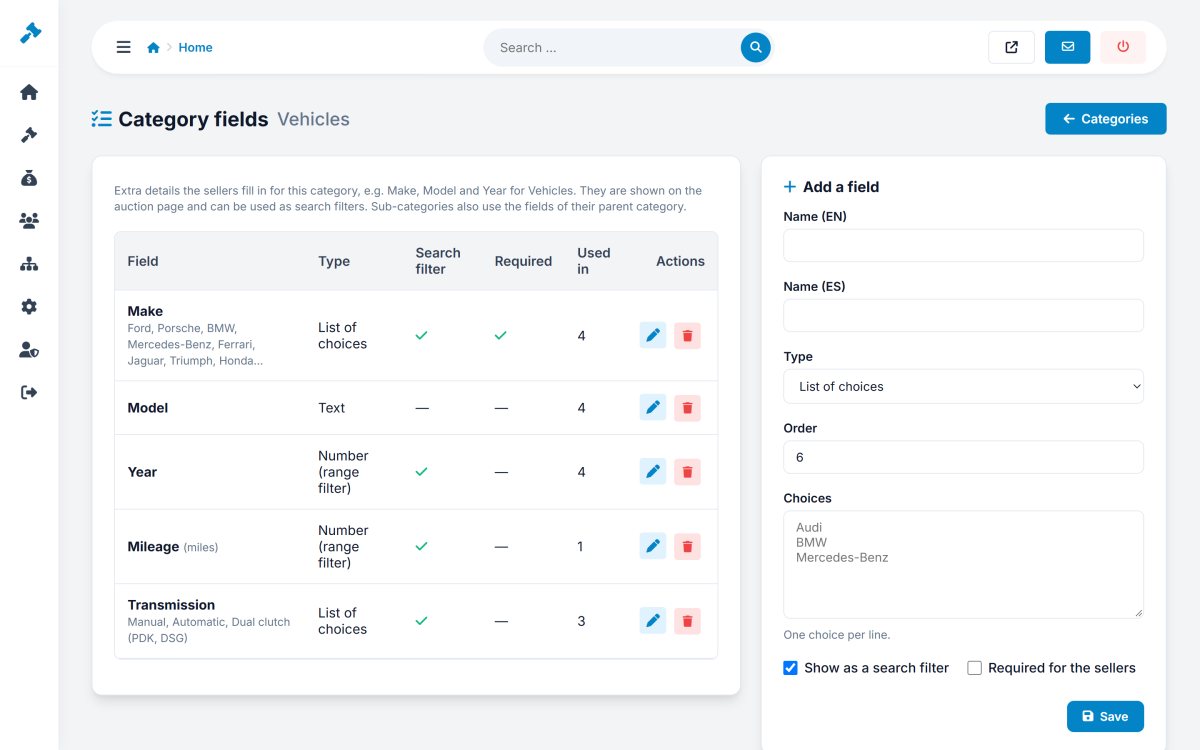
Give each category its own fields: Make, Model, Year, Mileage and Transmission for vehicles, Brand, Movement and Box & papers for watches, Size for fashion. Fields can be text, numbers or lists of choices, required or optional.

Sellers fill them in the sell form, buyers see them in the item details and filter the search by them.

  • Text, number and list fields
  • Required fields and units
  • Labels in every language
  • Search filters and number ranges
  • Shown in the item details of every lot
  • Imported from CSV columns
php bid feature: category fields for specialist marketplaces

Categories With Images and Translations

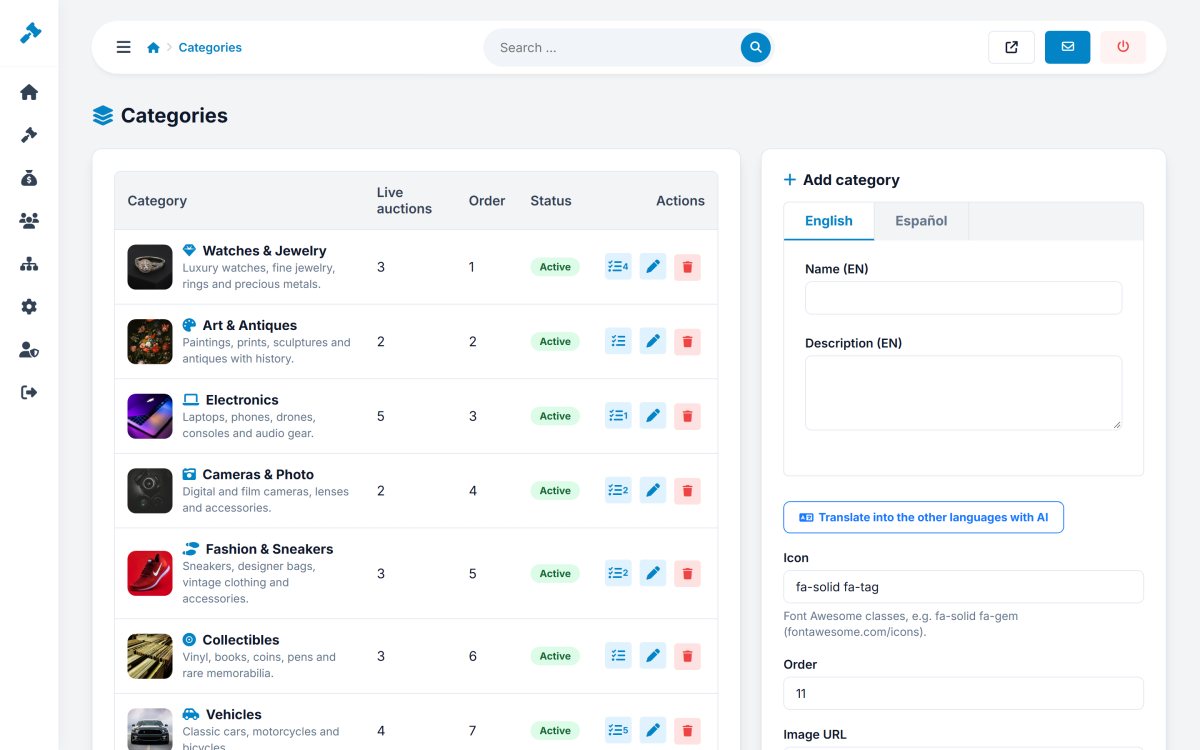
Create as many categories as you need, each with a name and description in every language, an icon, a picture and a sort order. Choose which categories appear on the home page.

Live auction counts are shown next to every category, and the AI can translate names and descriptions for you.

  • Unlimited categories with sort order
  • Name and description per language
  • Picture upload or URL, and icon
  • Show on home page switch
  • AI translation of all languages
  • Category fields per category
php bid feature: categories with images and translations

Admin Users, Groups and Permissions

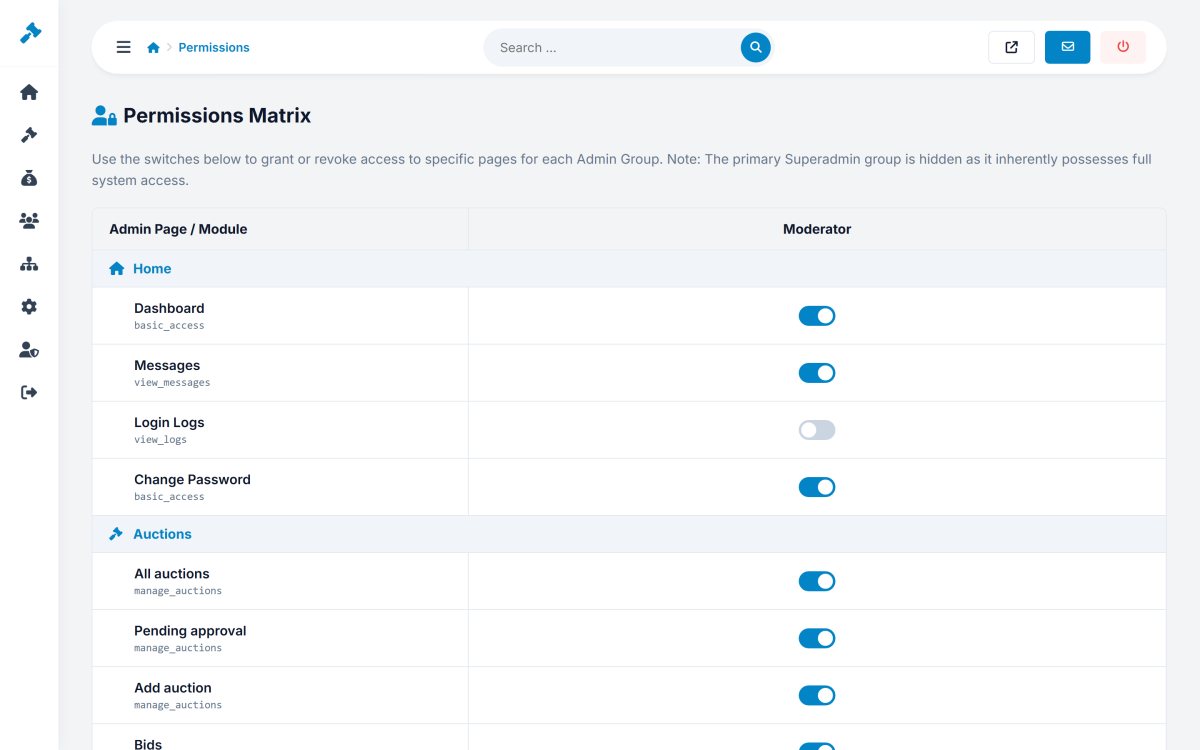
Add administrators and moderators with their own logins, and decide with a permissions matrix exactly which parts of the admin panel each group can use.

Every admin login is logged with the date and the IP address.

  • Unlimited admin users
  • Groups with a permissions matrix
  • Permissions per menu section
  • Admin login logs
  • Strong password hashing
  • Session timeout and CSRF protection
php bid feature: admin users, groups and permissions

A Full CMS With a Drag-and-Drop Page Tree

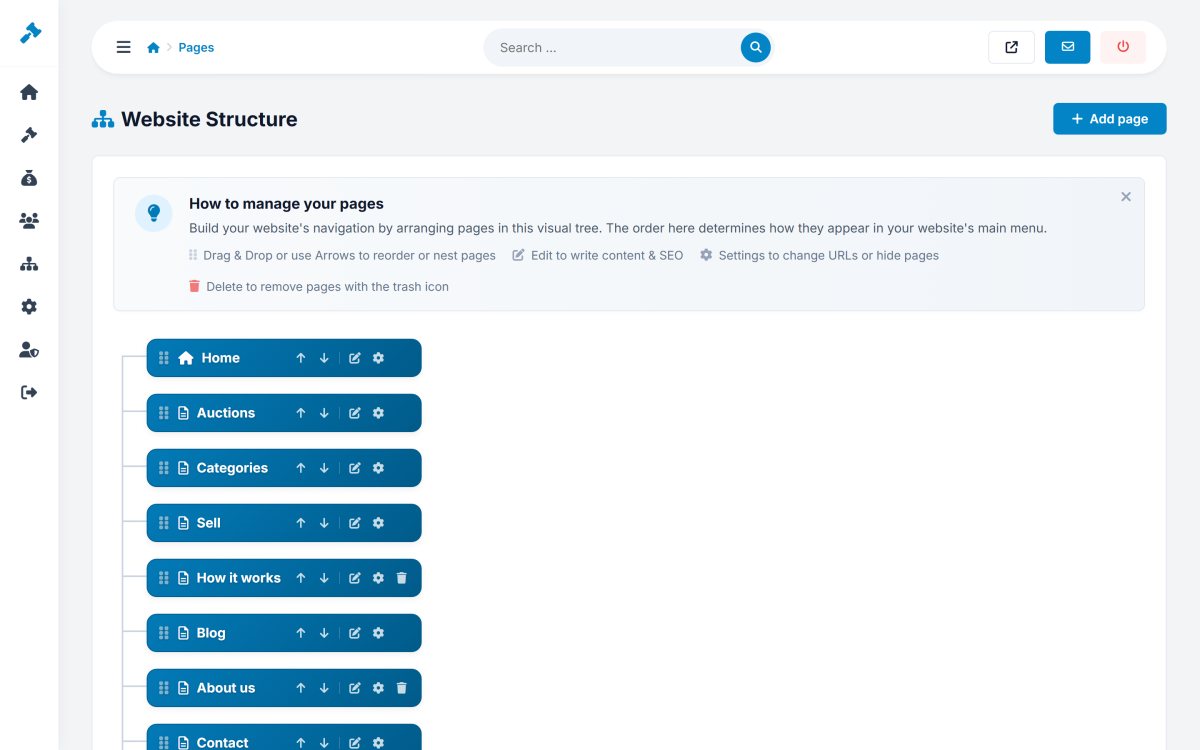
PHP Bid includes a complete content management system: create pages, organise them in a drag-and-drop tree, edit them in a visual editor, and choose which pages appear in the main menu and in the footer.

Ready-made pages are included: How it works, About us, FAQ, Blog, Terms, Privacy and Contact.

  • Drag-and-drop page tree
  • Visual editor with images
  • Main menu and footer menu
  • SEO title and description per page
  • AI page writer and AI translation
  • Ready-made FAQ, How it works and legal pages
php bid feature: a full cms with a drag-and-drop page tree

A Built-In Blog for Content Marketing

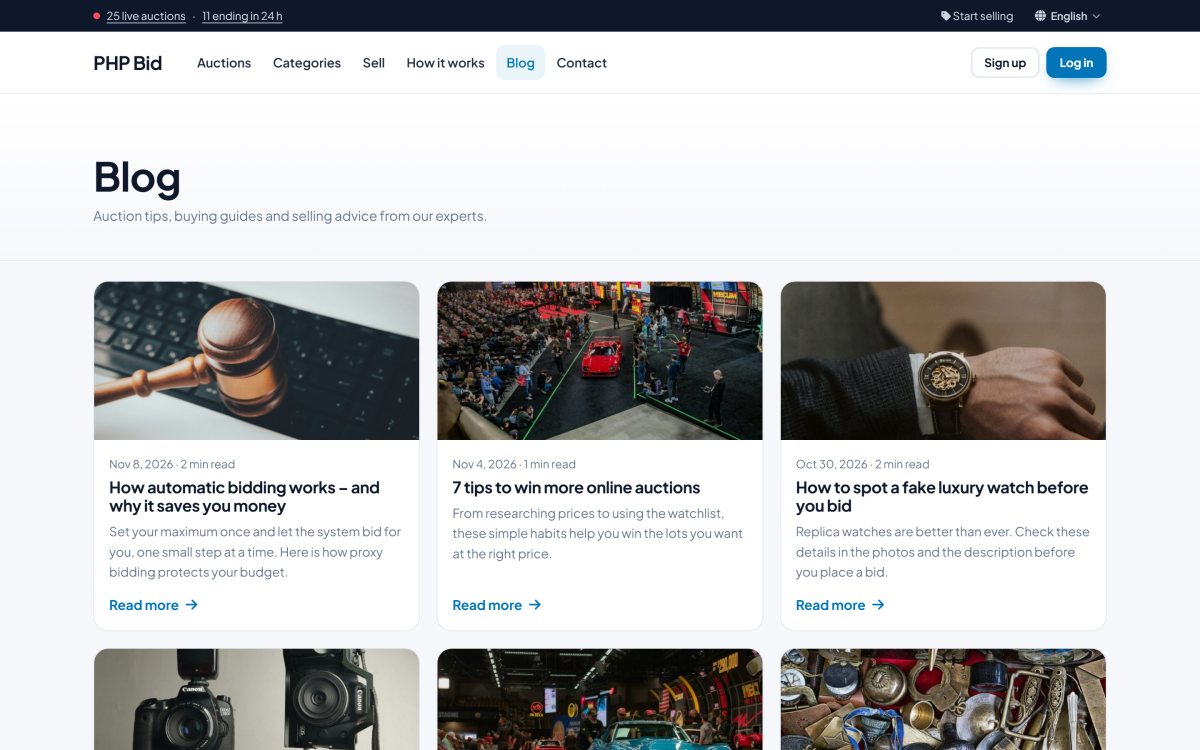
Publish articles with cover images: buying guides, selling tips, auction results and news. The blog page shows the articles in a clean grid with reading times, and every article has a page with related articles.

Content marketing is the cheapest way to bring buyers and sellers from Google, and the blog makes it effortless.

  • Articles with cover images
  • Grid layout with reading time
  • Article pages with related articles
  • Multi-language articles
  • Publish dates and view counts
  • Ready with 6 example articles
php bid feature: a built-in blog for content marketing

A Multi-Language Auction Website

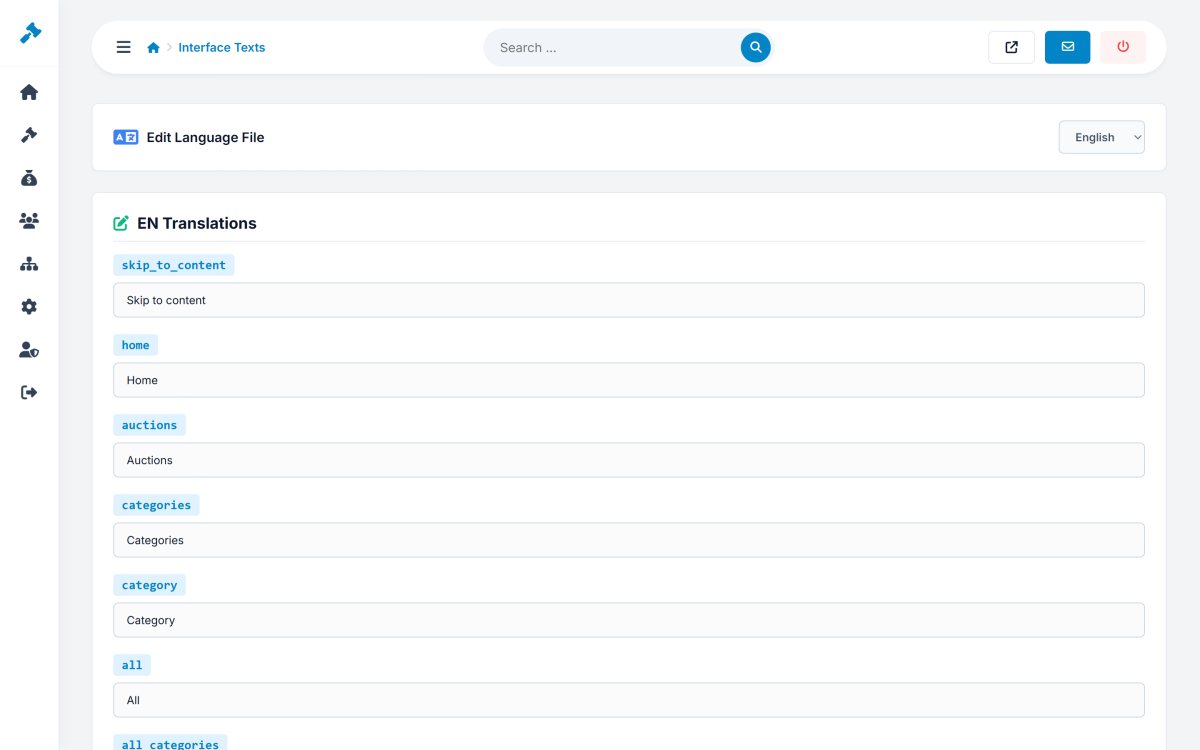
Run your marketplace in several languages, with a language menu for visitors and members. English and Spanish are included; every interface text can be edited in the admin panel, and you can add more languages.

Pages, categories, category fields and articles have their own text in every language, with SEO-friendly URLs.

  • English and Spanish included
  • Add more languages
  • Edit every interface text in the admin panel
  • Translated pages, categories and articles
  • AI translation with one click
  • Language menu in the site and the members area
php bid feature: a multi-language auction website

SEO-Friendly URLs, Meta Tags and Tracking Codes

PHP Bid is built for search engines: SEO-friendly URLs for auctions, categories and pages, unique titles and descriptions, fast pages and optimized images.

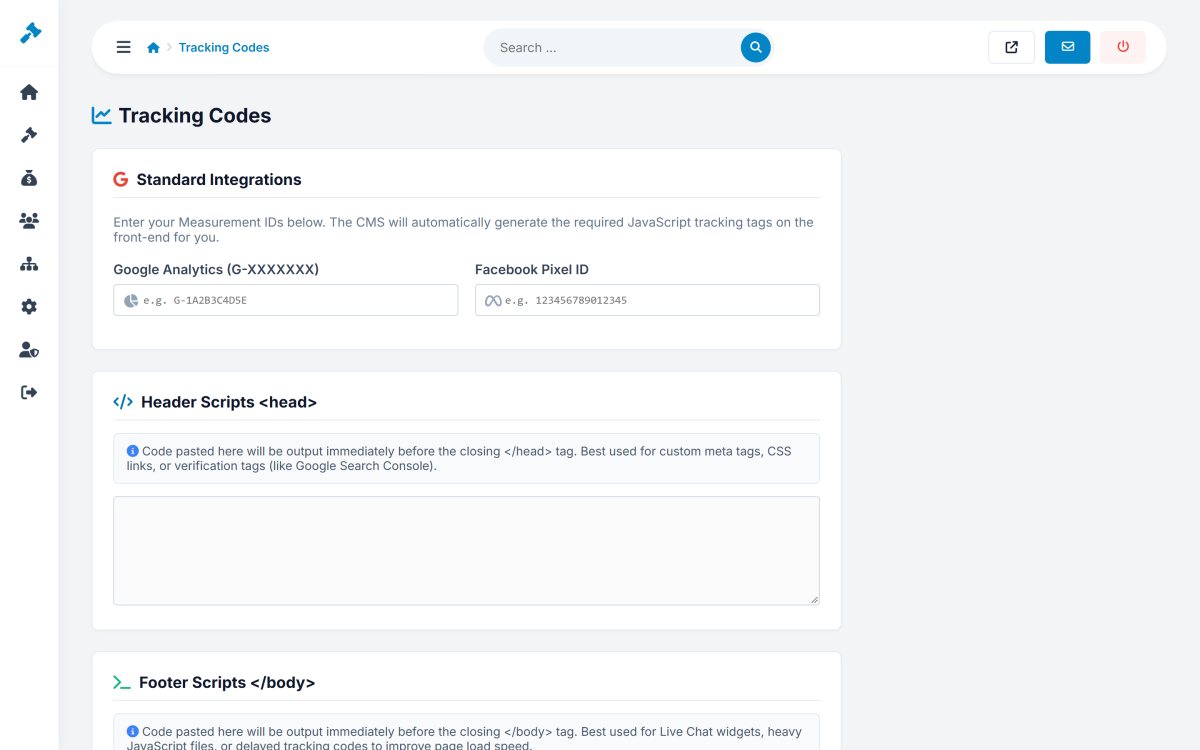
Add Google Analytics, a Facebook Pixel and any custom code for the head or the body of the pages, without editing templates.

  • SEO-friendly URLs in every language
  • Title and description per page
  • Unique item pages with descriptions
  • Google Analytics and Facebook Pixel
  • Custom head and body scripts
  • Automatic thumbnails for fast pages
php bid feature: seo-friendly urls, meta tags and tracking codes

Ad Zones for Extra Revenue

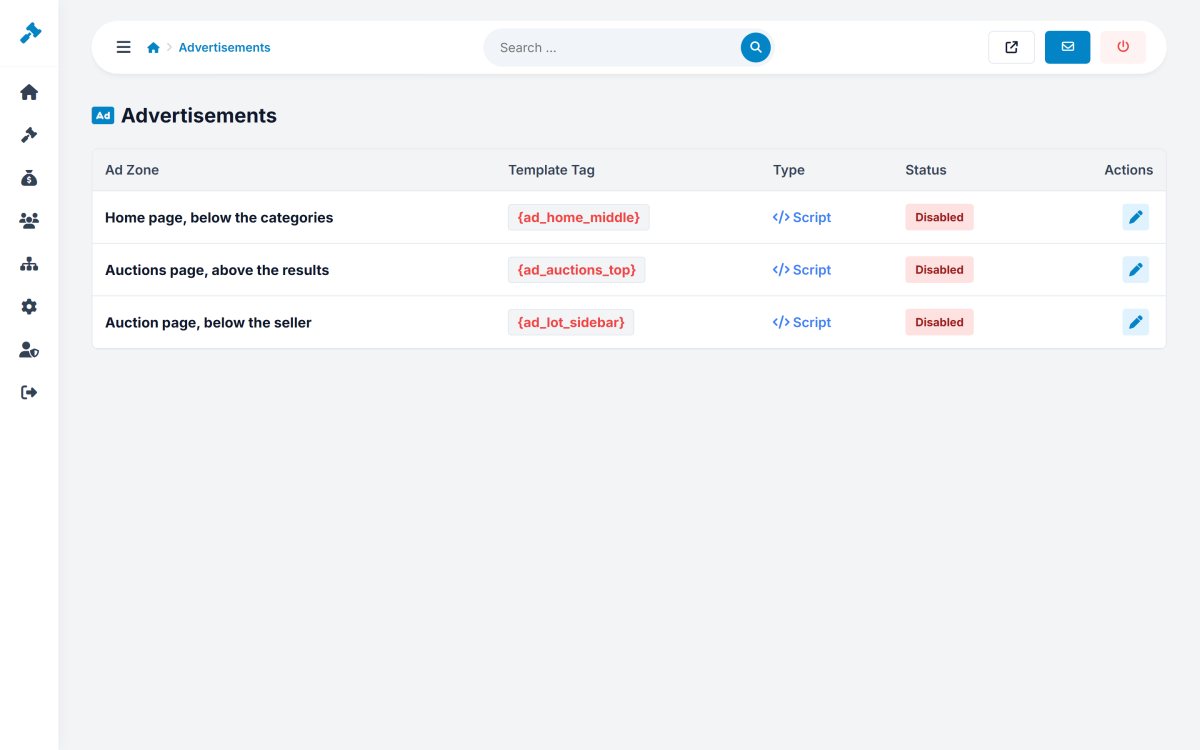
Sell advertising on your auction website. PHP Bid includes ad zones on the home page, above the search results and on the item pages, where you can place banners or any ad code such as Google AdSense.

Each zone can be switched on or off separately.

  • Home page, search results and item page zones
  • Banner images or ad code
  • Google AdSense compatible
  • Switch zones on and off
  • Responsive ad blocks
  • Managed in Admin > Website
php bid feature: ad zones for extra revenue

Newsletter Subscribers and Social Media

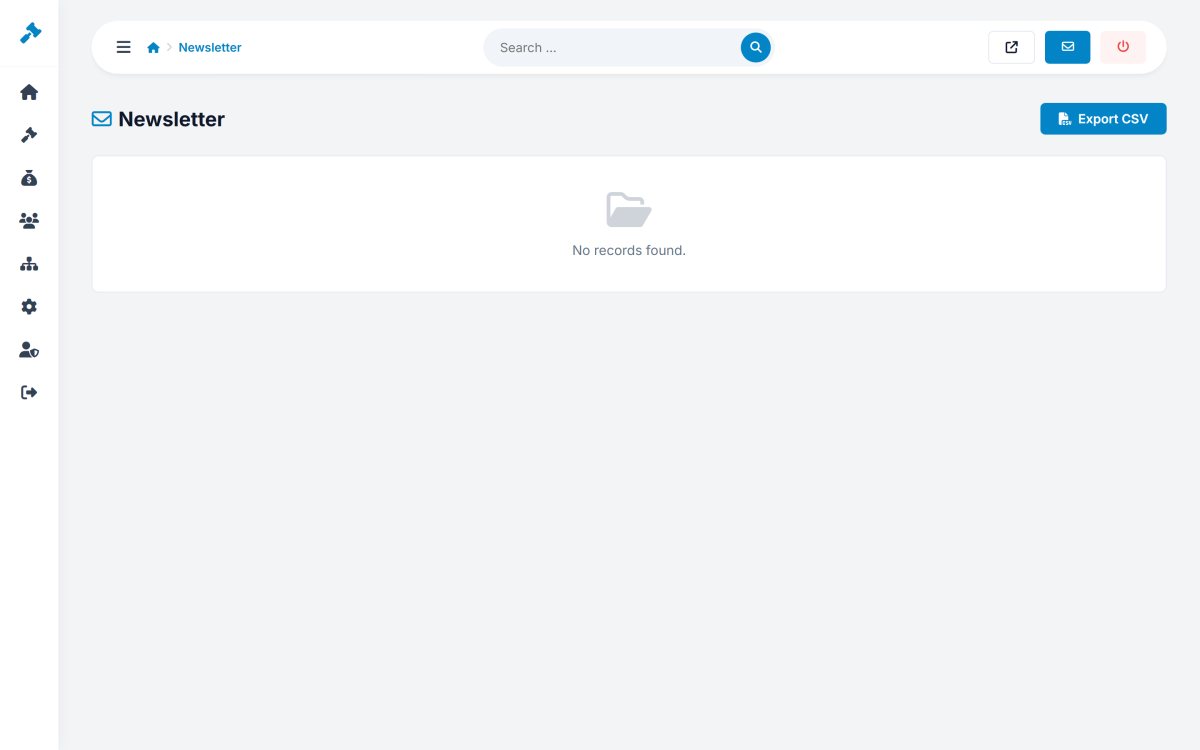
A newsletter form in the footer collects the e-mail addresses of interested visitors, with consent. Export the subscribers as a CSV file for your mailing tool.

Links to your Facebook, Instagram, X, LinkedIn, YouTube, TikTok and Pinterest profiles appear in the footer of every page.

  • Newsletter form on every page
  • Subscriber list with search
  • CSV export for your mailing tool
  • Links to 7 social networks
  • Share buttons on every item
  • GDPR-friendly consent
php bid feature: newsletter subscribers and social media

100% Unencrypted Source Code, Self-Hosted

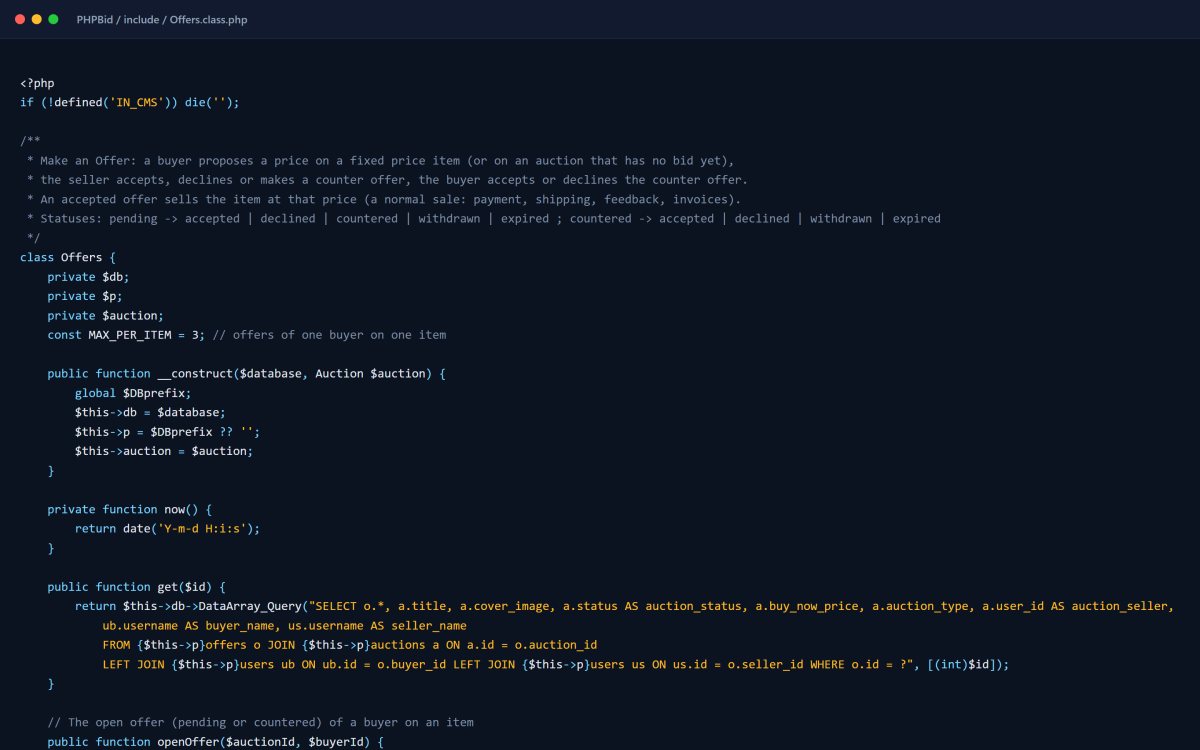
PHP Bid is written in clean, modern PHP 8 with MySQL and no heavy framework. You get every file in readable, unencrypted source code, and you host it on any standard web hosting or server.

There is no license server, no phone-home and no monthly fee: the software keeps working forever on your own server.

  • Unencrypted PHP 8 and MySQL source code
  • No framework lock-in, easy to read
  • Runs on standard shared hosting
  • PDO prepared statements and CSRF protection
  • Hardened sessions and password hashing
  • Free installation by our team
php bid feature: 100% unencrypted source code, self-hosted