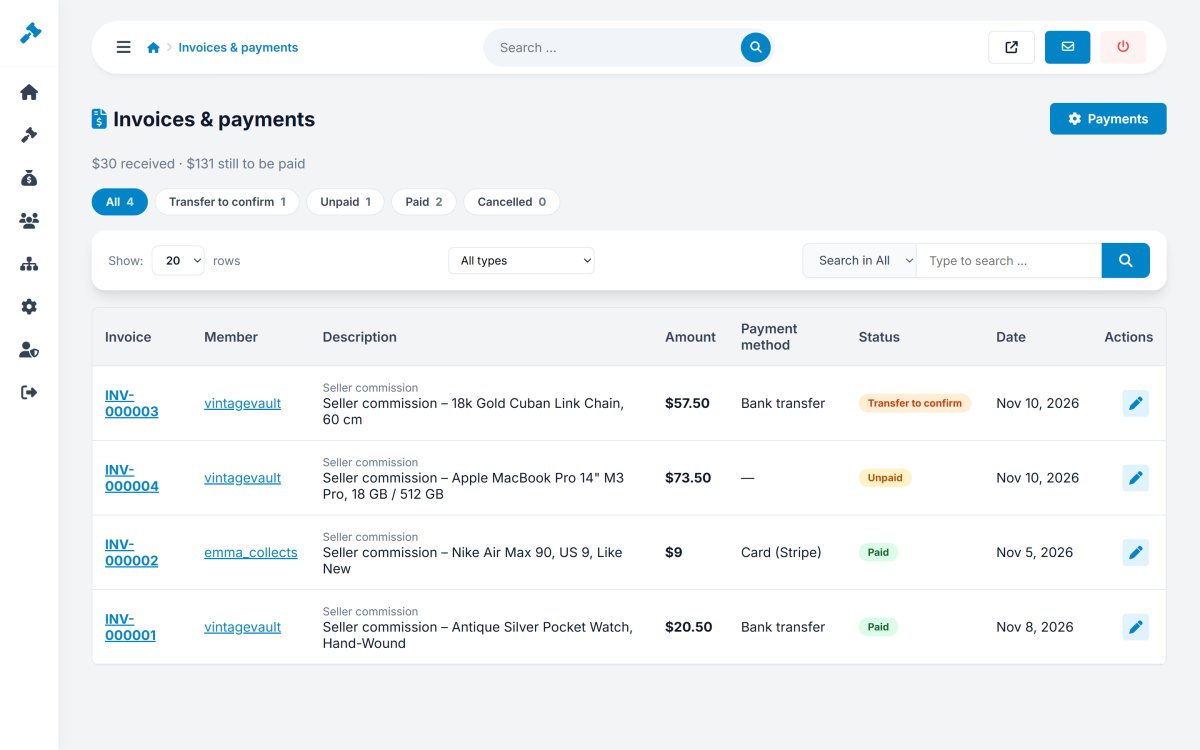
Admin > Sales > Invoices lists every invoice of the marketplace with its type, member, amount, VAT, status and payment method. Bank transfers waiting for confirmation are highlighted.
The invoices page is your income statement: paid amounts, open amounts and transfers to check, all in one place.
Online payments are marked as paid automatically; you only act on bank transfers, with the member's reference and note in front of you.
The payment settings let you test your Stripe and PayPal keys before going live.