First steps after installation
Follow this checklist once after the installation. In about an hour your auction website has your name, your design, your categories and your rules, and is ready for the first real listing.
The launch checklist
- Change the admin password - Home › Change Password. Add more administrators later in Admin users and permissions.
- Enter your website details - name, tagline, contact e-mail, address and time zone in General settings. The time zone matters: auctions end by this clock.
- Choose a template and upload your logo - Templates, logo and interface texts. Pick the colours in Configuration Options › Design.
- Set up your categories - rename, add or delete the demo categories and add category fields (brand, size, year...). See Categories and category fields.
- Decide the auction rules - can members sell, must listings be approved, durations, bid increments, anti-sniping. See Auction rules.
- Set your fees and currency - commission, buyer's premium, listing and featured fees. See Currency and fees.
- Configure VAT and shipping if you sell to consumers in a VAT country. See VAT and shipping.
- Connect the payments - Stripe, PayPal and/or bank transfer for the invoices of the website. See Payment gateways.
- Turn on the AI - add a free Groq key or an OpenAI/DeepSeek key. See AI settings.
- Edit the pages - About us, Terms & Conditions, Privacy Policy, How it works and FAQ. See Pages and blog.
- Delete the demo content - demo auctions, members, blog posts and messages.
- Test everything - register a test buyer and a test seller, list an item, bid, win, pay and leave feedback.
Demo data
The installation includes demo members, auctions, bids, sales and blog posts so you can see every screen with real-looking content. The demo members are buyer@demo.com and seller@demo.com with the password Demo123!. Delete them, or change their passwords, before you launch: Members › All members.
Where things are in the admin panel
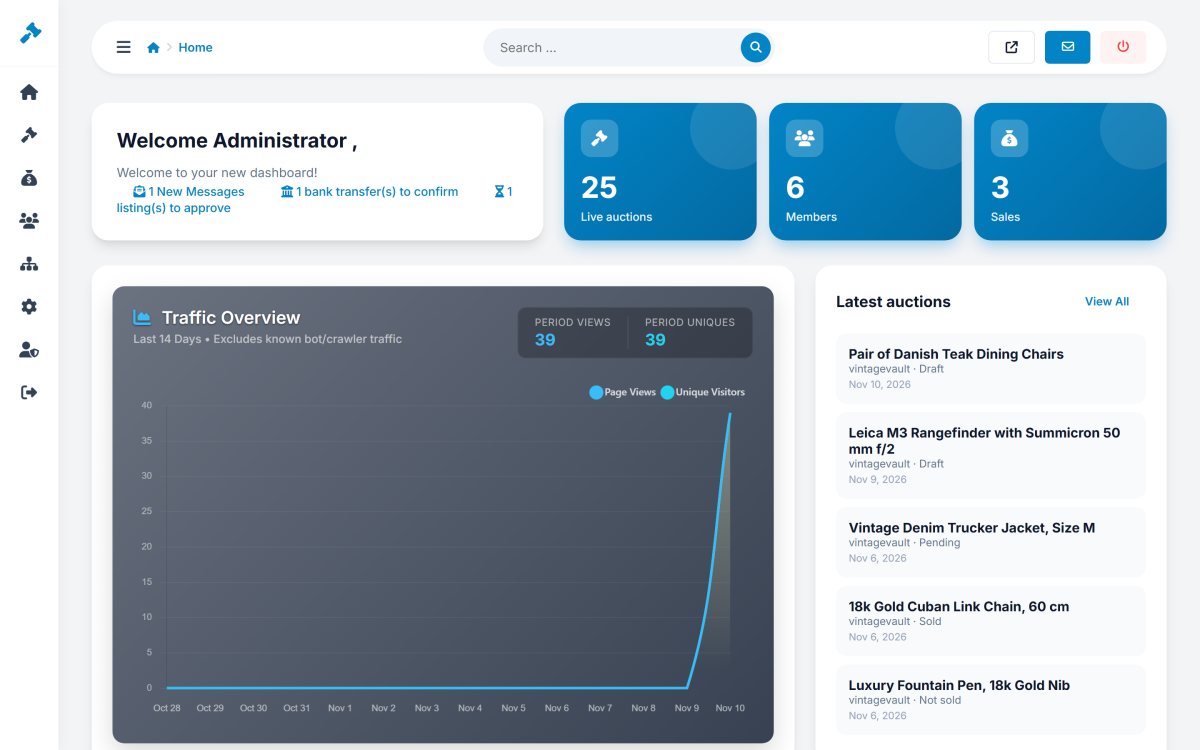
| Menu | What you find there |
|---|---|
| Home | Dashboard, contact messages, admin login logs, change password. |
| Auctions | All auctions, pending approval, add auction, bids, questions, offers, reported listings, CSV import, categories. |
| Sales | All sales, awaiting payment, to ship, shipped, completed, cancelled, invoices & payments, feedback. |
| Members | All members, newsletter subscribers, member messages. |
| Website | Pages, news (blog), logo & favicon, templates, interface texts, advertisements. |
| Settings | Configuration options, payments, AI settings, tracking codes, social media, language versions. |
| Admin Users | Administrators, groups and permissions. |