Payments: Stripe, PayPal and bank transfer
The fees of the website are paid online by card with Stripe, with PayPal, or by bank transfer. Each method takes a few minutes to set up.
Stripe (cards, Apple Pay, Google Pay)
- Create an account at stripe.com.
- In the Stripe Dashboard open Developers › API keys and copy the secret key. Use the test key (
sk_test_...) first to try payments with the Stripe test cards. - In Developers › Webhooks click Add endpoint with the address
https://www.yourdomain.com/include/stripe_webhook.phpand the eventcheckout.session.completed. Copy the webhook signing secret. - In PHP Bid turn on Stripe, paste the secret key and the webhook secret, and save.
The webhook confirms the payment even if the member closes the browser before returning to your website. When the tests work, replace the test keys with the live keys.
PayPal
- Open developer.paypal.com › Apps & Credentials and create an app.
- Copy the Client ID and the Secret into PHP Bid.
- Tick Sandbox to test with PayPal test accounts; untick it and use the live credentials to accept real payments.
Bank transfer
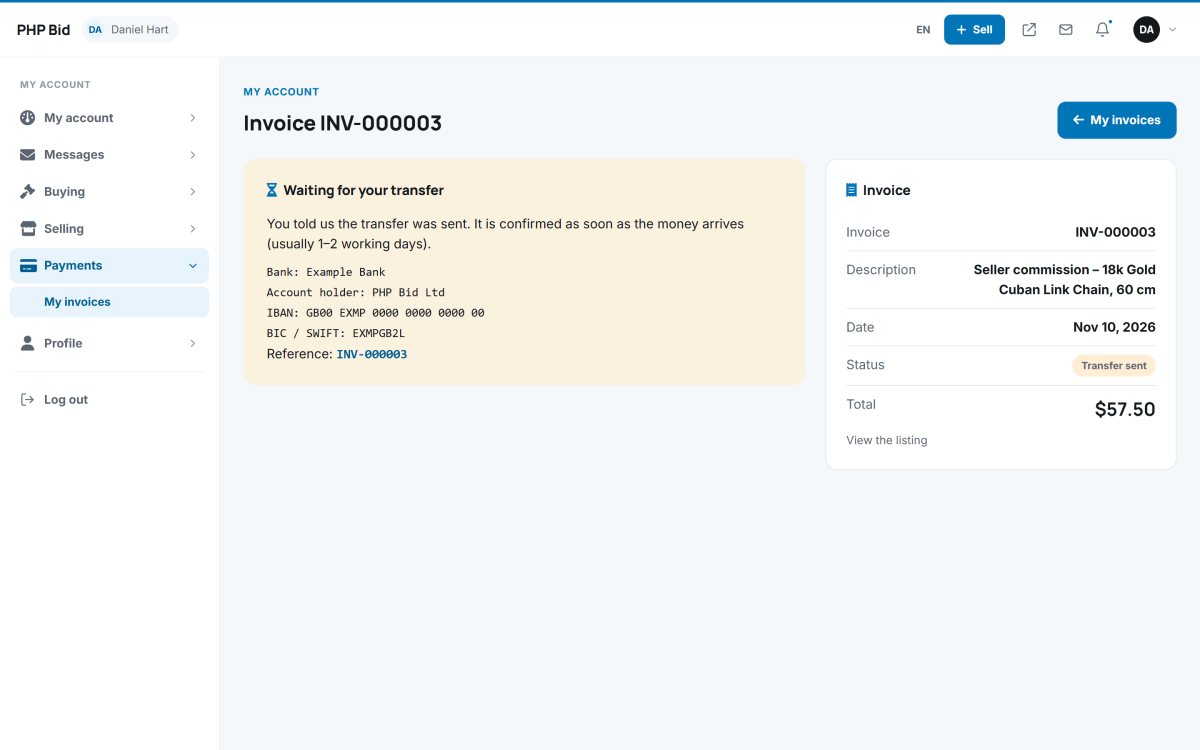
Turn it on and enter your bank details (bank, account holder, IBAN, BIC/SWIFT). Members see them with the amount and the invoice number as reference. When the money arrives, confirm it in Sales › Invoices & payments.
Block members with unpaid fees
Block after (days): a member with a commission or buyer's premium unpaid for longer than this can not list new items. 0 = never.
Test
Use Save & test to check the connection. Then make a test purchase with a featured listing and check that the invoice becomes paid.