Bidding: exact bids, automatic bidding, reserve and anti-sniping
PHP Bid lets every bidder choose how to bid: place an exact amount and stay in full control, or set a secret maximum and let the system bid for them. Both modes work together fairly.
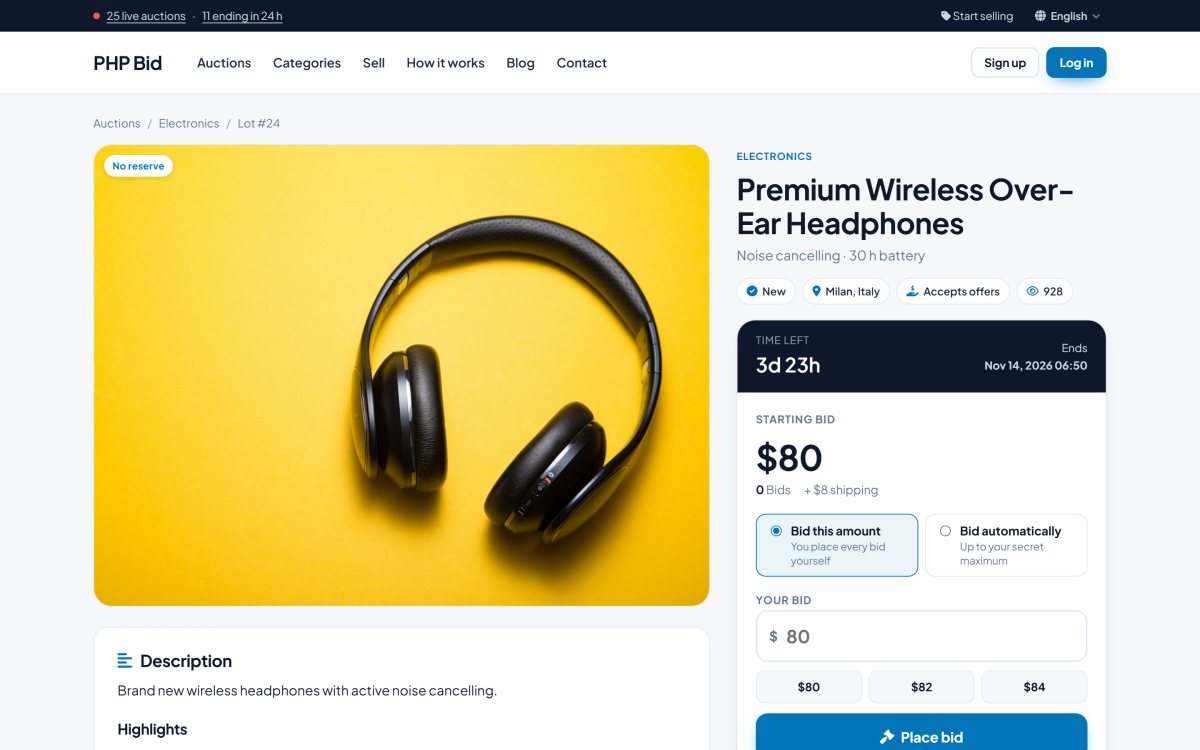
The two bid modes
Bid this amount (exact bid)
The bid is placed at exactly the amount the bidder types. Nothing is bid later in their name. This is the default mode, for bidders who want to review every bid themselves. If another bidder outbids them, they receive an alert and decide whether to bid again.
Bid automatically (proxy bidding)
The bidder enters the maximum they are willing to pay. The system bids for them only as much as needed to stay in the lead - one increment above the next bidder - and never above the maximum. The maximum stays secret. If someone bids more than the maximum, the bidder is outbid and notified.
The choice is remembered on the bidder's device, so frequent bidders do not have to pick it every time.
An example
| Action | Current bid | Leader |
|---|---|---|
| Starting price | $100 | - |
| Anna bids automatically, maximum $300 | $100 | Anna |
| Ben places an exact bid of $150 | $155 (Anna's automatic bid answers) | Anna |
| Ben places an exact bid of $320 | $320 | Ben |
Automatic maximums of other bidders always answer an exact bid, so nobody can be outbid "cheaply" by an exact bid just above the current price.
Bid increments
The next minimum bid is the current bid plus an increment that grows with the price, for example $1 under $100, $5 from $100, $10 from $500 and $25 from $1,000. You set the table in Auction rules. An administrator can also give a single auction its own fixed increment in the auction editor.
Reserve price
A reserve price is a secret minimum set by the seller. While the bids are below it, the auction page shows Reserve not met; if the auction ends that way, the item is not sold. As soon as a bid reaches the reserve the page shows Reserve met. An automatic bid jumps straight to the reserve when the maximum allows it.
Anti-sniping
"Sniping" means bidding in the very last seconds so nobody can answer. With anti-sniping turned on, a bid placed in the last X minutes extends the auction by Y minutes (both set in Auction rules, for example 2 and 2). The auction page shows the new end time immediately to everyone.
Confirmation and safety
- Every bid is confirmed in a small dialog that repeats the amount and the mode.
- A maximum bid limit protects against typos: a bid can not exceed the next minimum bid multiplied by a value you choose (for example 10x).
- Sellers can not bid on their own items.
- Bidders must be logged in. Guests who click "Place bid" are taken to the login page and come back to the same auction afterwards.
Outbid alerts and winning
Outbid bidders get a notification in the members area and an e-mail (members can turn the e-mails off in their profile). Watchers receive an "ending soon" reminder. When the auction ends, the highest bidder wins - provided the reserve is met - and a sale is created automatically. The winner sees it in Won items with the instructions to pay.