Moderation: questions, reported listings and banned words
Trust is what makes buyers bid. PHP Bid gives you four moderation tools: listing approval, banned words, reports from members and control over public questions.
Reported listings
Every auction page has a Report this listing link for logged-in members. They choose a reason - counterfeit or replica, prohibited item, suspected fraud or scam, wrong category or misleading description, offensive content, other - and can add a comment. Each member can report a listing once.
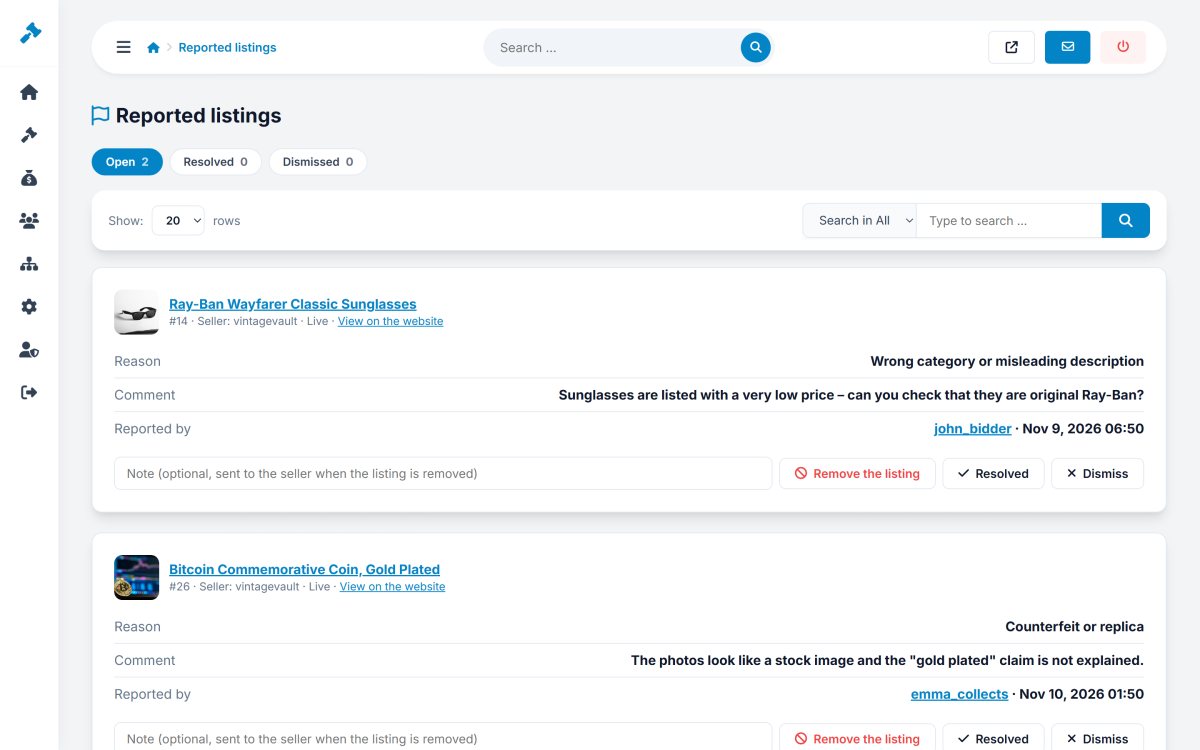
In Auctions › Reported listings (the menu shows the number of open reports) you see the listing, the reason, the comment and who reported it, and choose:
- Remove the listing - the auction is cancelled and all its reports are resolved.
- Mark resolved - you handled it another way (for example you edited the listing).
- Dismiss - the report was unfounded.
Banned words
In Auction rules enter one word or phrase per line, for example replica, fake rolex, counterfeit. A * at the end matches any ending (replic* = replica, replicas). The list is checked in titles and descriptions of listings, questions, messages and offers. For listings you choose the action:
- Go to the approval queue - the listing is saved but waits for you, with a note showing the word found.
- Block - the seller sees an error and must change the text.
Questions
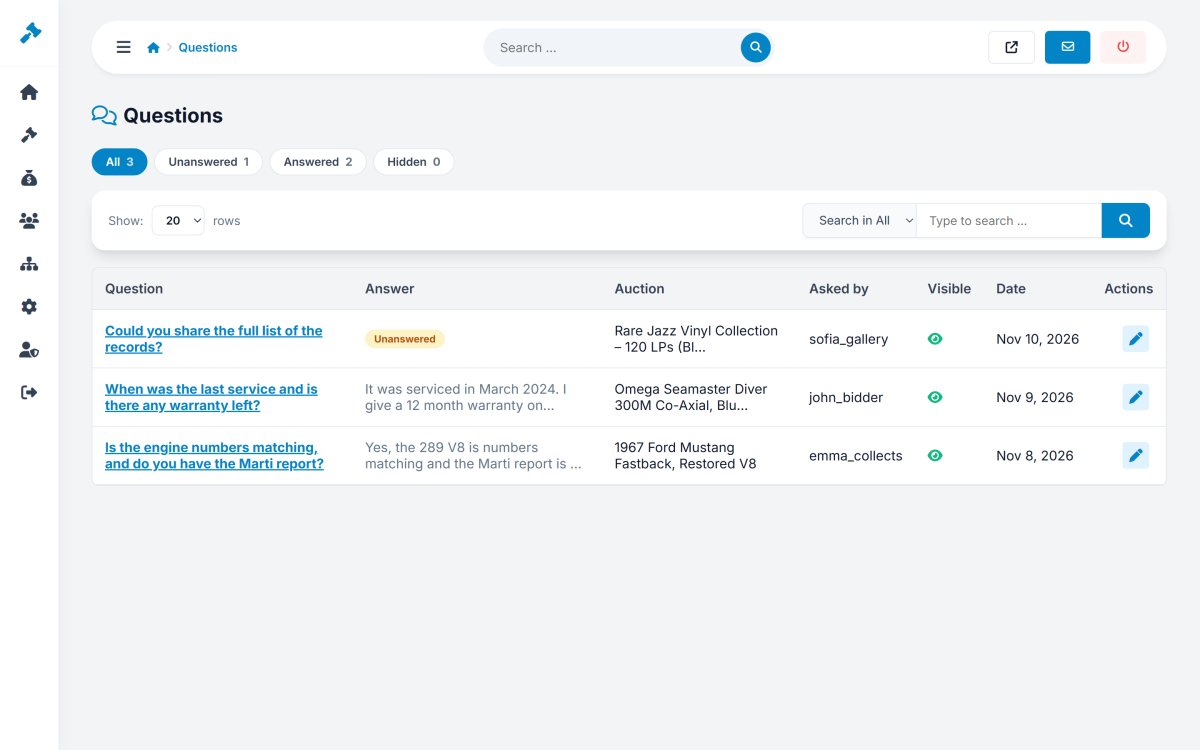
Auctions › Questions shows all questions of the website, filtered by Unanswered, Answered and Hidden. You can edit an answer, hide a question that should not be public, or delete it.
AI moderation
In the auction editor the AI moderation check reviews a listing for forbidden items, scam signs and missing information, and suggests improvements - very helpful when you approve many listings. See AI settings.