Currency, commissions and fees
The Currency & fees tab sets the money side of the marketplace: how prices are shown and which fees the website charges.
Menu Settings › Configuration Options › Currency & fees
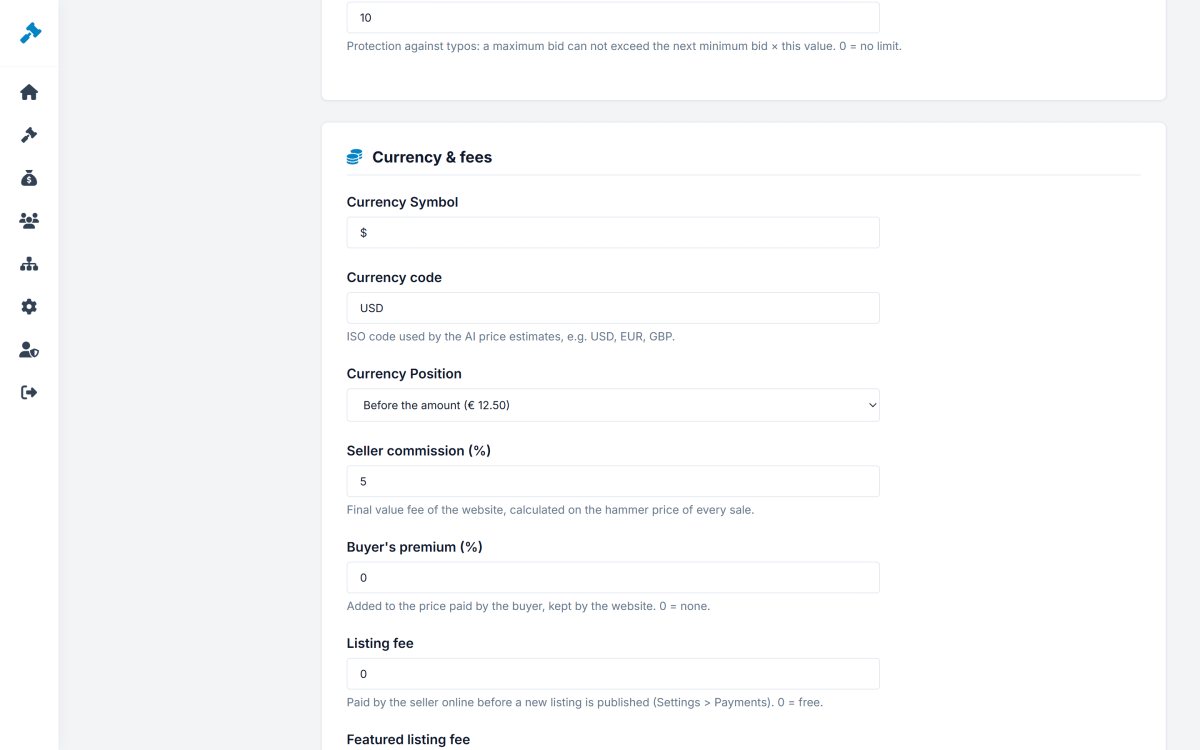
Currency
- Currency symbol - $, €, £...
- Currency code - ISO code (USD, EUR, GBP) used for the online payments and the AI price estimates.
- Currency position - before ($12.50) or after (12,50 €) the amount.
Fees
| Fee | How it works | Example |
|---|---|---|
| Seller commission (%) | Final value fee, calculated on the hammer price of every sale and invoiced to the seller. | 5% of a $1,000 sale = $50 |
| Buyer's premium (%) | Added to the price paid by the buyer and kept by the website - common for auction houses. Shown on the auction page. | 10% on $1,000 = $100 |
| Listing fee | Paid by the seller online before a new listing is published. | $1 per listing |
| Featured listing fee | Paid online for the featured upgrade. | $19 |
0 turns a fee off. All fees create invoices that members pay in Payments › My invoices (Invoices and fees). VAT on the fees is set in VAT & shipping.
Payment instructions
The text shown to the winners on the page of their purchase, telling them how to pay the seller - for example "Pay the seller within 3 days by bank transfer or PayPal. The seller ships after receiving the payment."