Buy it now, fixed price items and Make an offer
Not every buyer wants to wait for the end of an auction. PHP Bid adds two faster ways to buy: Buy it now at a fixed price, and Make an offer for a lower price that the seller can accept or counter.
Buy it now during an auction
A seller can add a Buy it now price to an auction. Until the first bid is placed, buyers can end the auction immediately by paying that price. As soon as somebody bids, the Buy it now option disappears and the auction continues normally.
Fixed price listings
A listing can also be a pure Buy it now item without bidding. It stays online for the chosen duration and the first buyer who clicks Buy it now gets it. Fixed price listings are ideal for shops, dealers and surplus stock.
Make an offer
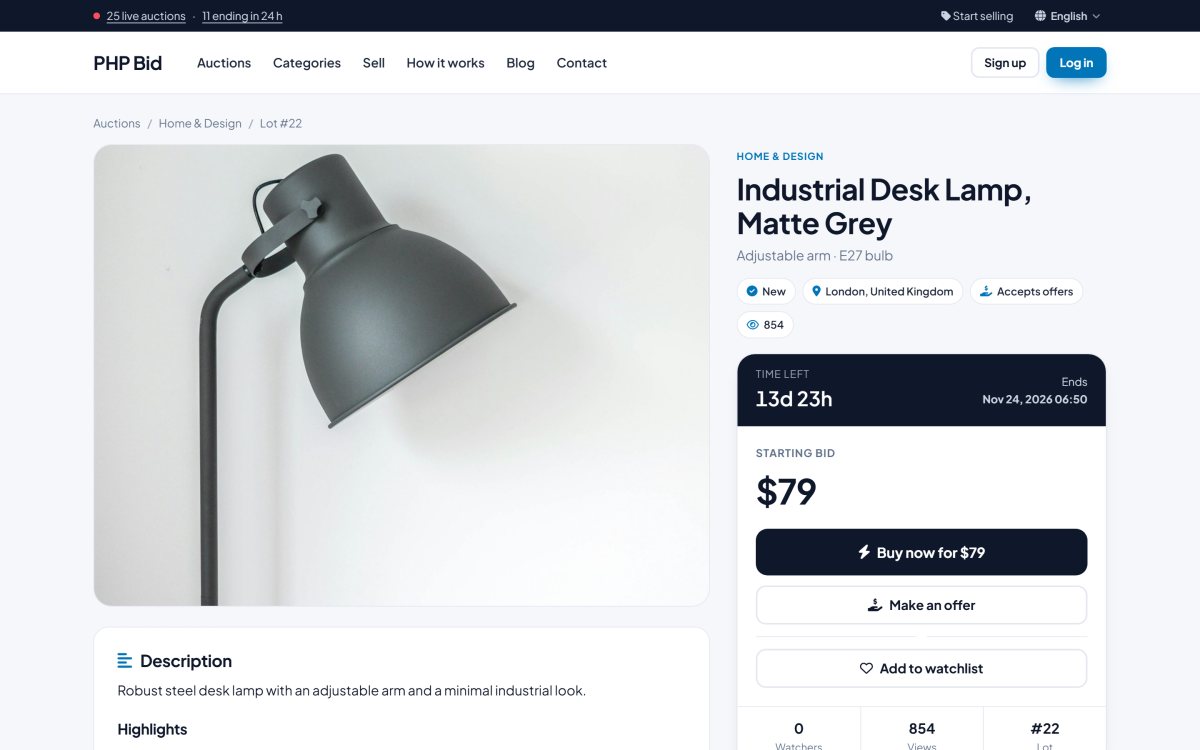
When the seller ticks Accept offers from buyers, the auction page shows a Make an offer button - on fixed price items, and on auctions as long as nobody has bid. The buyer enters a price and an optional message.
- The seller receives the offer and can accept, decline or send a counter-offer.
- The buyer can accept or decline a counter-offer, or make a new offer.
- When an offer is accepted, the buyer buys the item at that price with one click and a sale is created, exactly like a Buy it now purchase.
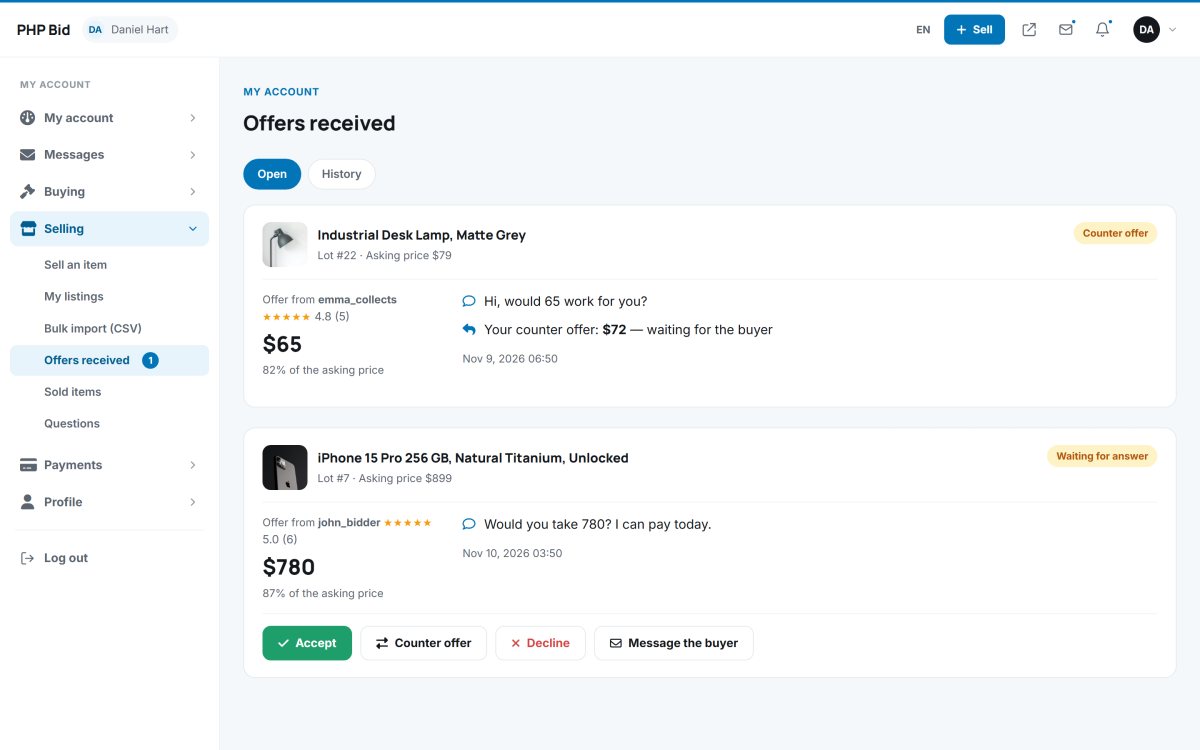
Offers expire automatically when the item is sold to somebody else. The administrator can turn offers on or off for the whole site and can see all offers in Auctions › Offers. The members area side is explained in Offers.