Managing auctions: approval, editing and bids
The Auctions menu gives you full control over every listing of the website, whoever created it: approve, edit, feature, end, cancel or delete, and correct bids when needed.
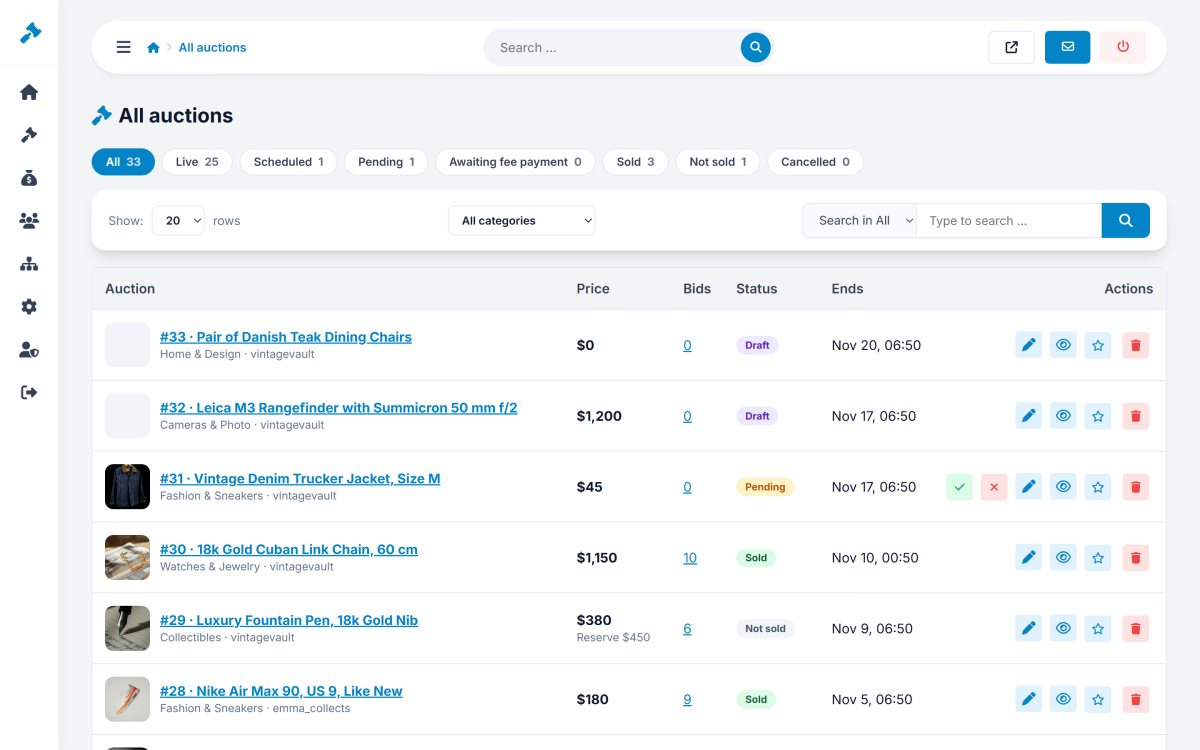
All auctions
Auctions › All auctions lists every listing with its photo, seller, price, bids, end date and status (live, scheduled, pending, sold, unsold, cancelled, draft). Filter by status, type (auction / Buy it now) and category, or search by title. The actions are: view on the website, edit, Toggle featured, End now and delete.
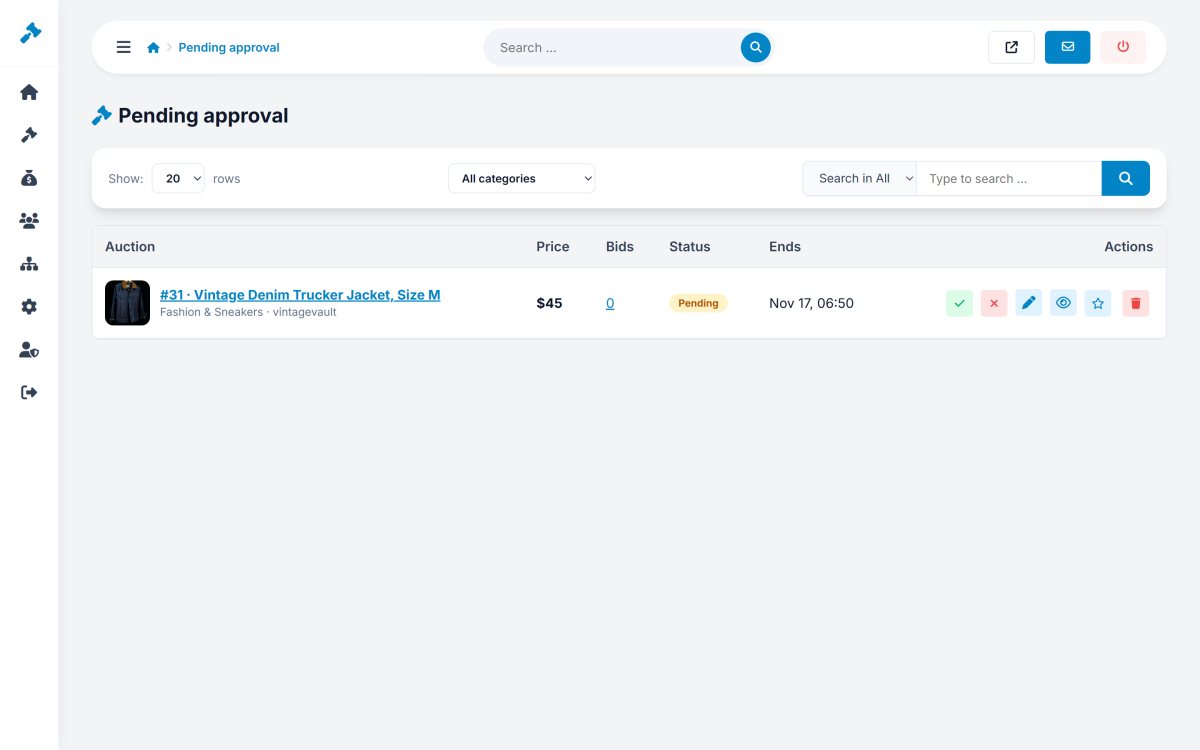
Pending approval
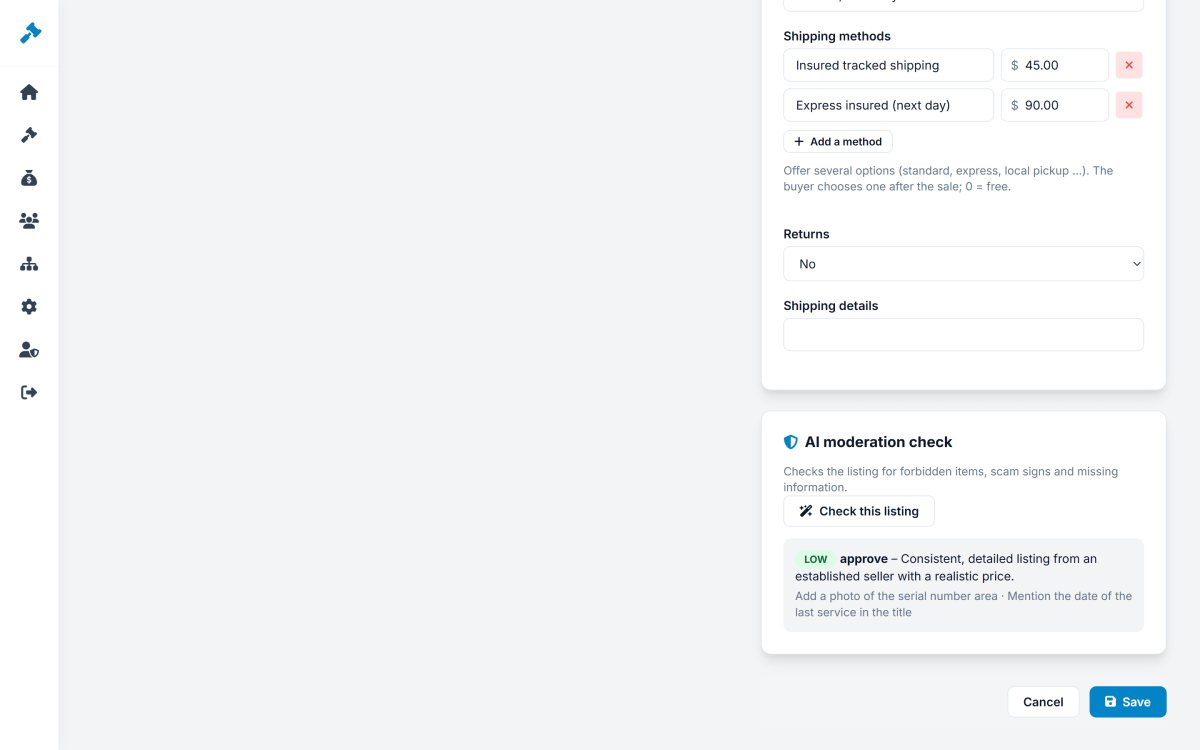
If Approve the new listings is on (Auction rules), new listings wait in Auctions › Pending approval. Open a listing, check it - the AI moderation check gives a risk level, problems and suggestions in one click - then Approve or Reject with a reason. The seller is notified and sees your reason.
Listings that contain a banned word also land here with a note that shows the word found.
Adding and editing an auction
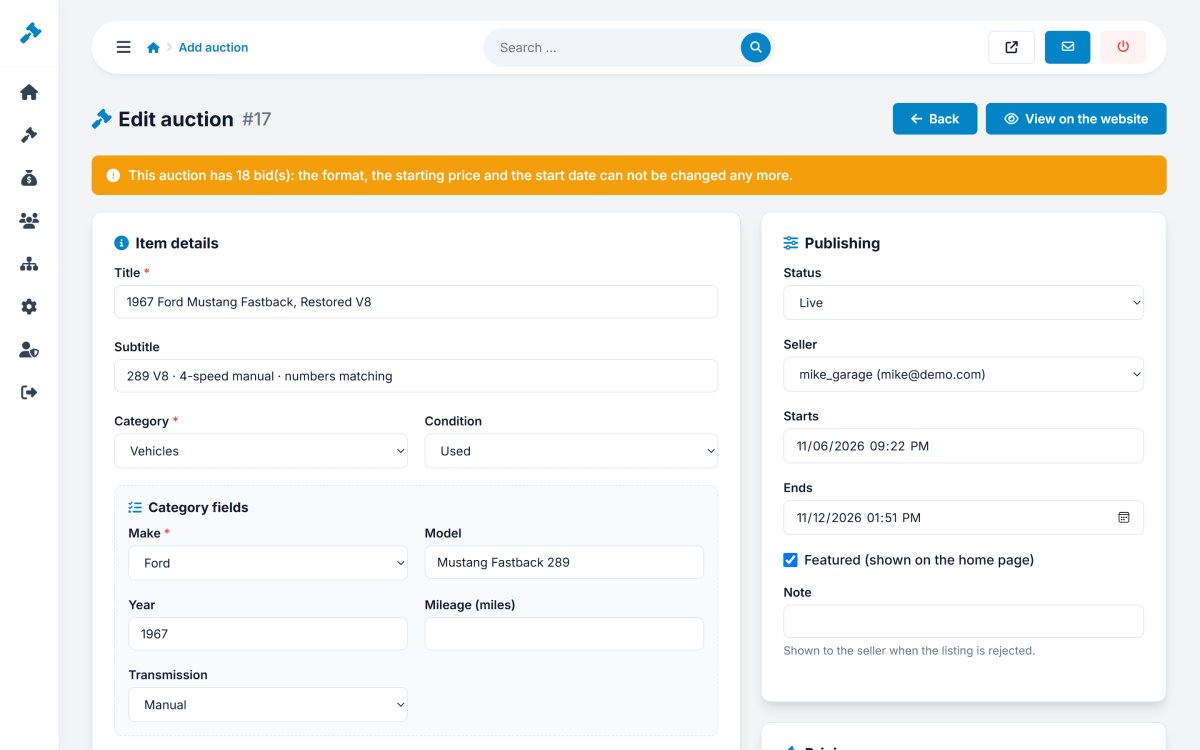
Auctions › Add auction creates a listing for the website itself (useful for an auction house) or for any member chosen as seller. The form has the same fields as the members' form, plus:
- Status - live, pending, scheduled, ended, cancelled...
- Seller - any member.
- Start and end dates - change them freely, for example to extend an auction.
- Featured - shows the item in the featured sections without a fee.
- Note - shown to the seller when the listing is rejected.
- Own bid increment for this auction only.
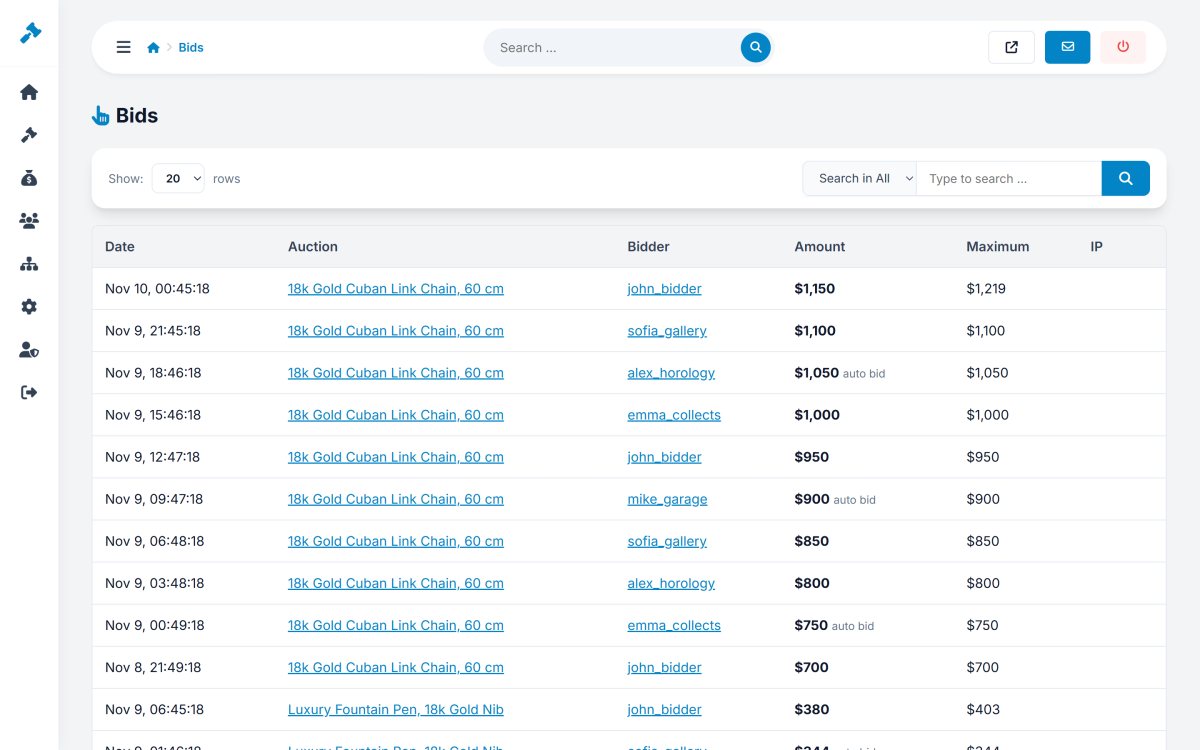
Bids
Auctions › Bids lists all the bids of the website with the bidder, amount, maximum (for automatic bids) and date. A bid placed by mistake can be retracted: the auction is recalculated automatically from the remaining bids and maximums.