The home page of your auction website
The home page is the shop window of your marketplace. It is built automatically from your live auctions, so it always looks busy and fresh - you never have to edit it by hand.
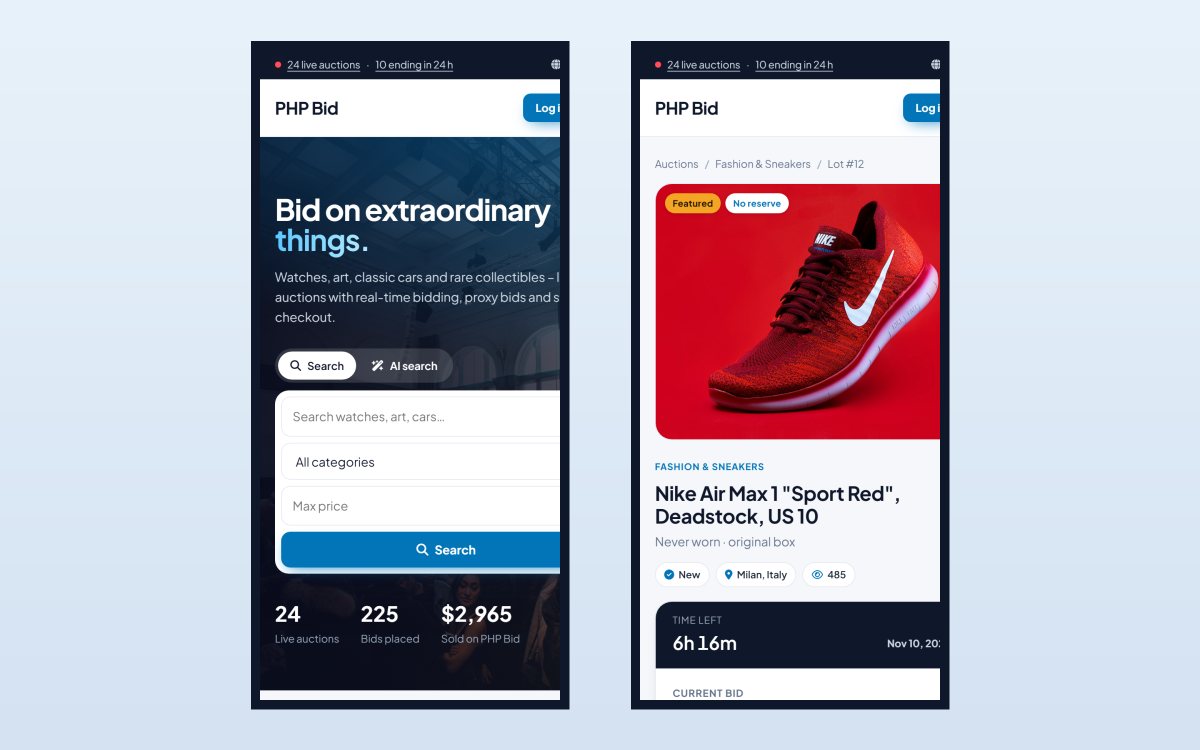
The sections of the home page
| Section | What it shows |
|---|---|
| Top bar | A live counter ("20 live auctions · 8 ending in 24 h") that links to the matching searches, a "Start selling" link and the language switcher. |
| Header | Your logo, the main menu (Auctions, Categories, Sell, How it works, Blog, Contact) and the Sign up / Log in buttons. Logged-in members see their name, the "Sell" button and the links to the members area. |
| Hero | Your title and subtitle with a big search box. When the AI is turned on, visitors can type what they want in their own words - see AI search. |
| Featured auctions | Listings marked as featured, by the seller (paid upgrade) or by you in the admin panel. |
| Ending soon | The auctions that close next - the best section for urgency. |
| Browse by category | Your categories with their photos and the number of live items. |
| Just listed | The newest listings. |
| Coming soon | Scheduled auctions that have not started yet, so bidders can add them to the watchlist. |
| How it works | A short explanation of bidding (exact bids or automatic bidding) and of buying and selling. |
| Statistics | Live auctions, bids placed and items sold. |
| Call to action | "Start selling" box that invites visitors to list their items. |
| Footer | Your pages, up to 8 categories with a "See all categories" link, the newsletter sign-up form and your social media links. |
Auction cards
Every listing on the home page, in the search results and in the categories is shown as a card with the main photo, the title, the current bid or the price, the number of bids and a countdown. Labels such as Featured, Buy it now and No reserve help bidders decide quickly. The countdown and the prices are updated live without reloading the page.
Changing the texts and the look
- The hero title, subtitle and all section titles are interface texts: edit them in Website › Interface Texts.
- The hero image and the colours are set in Settings › Configuration Options › Design.
- The layout of the sections depends on the template. See Templates, logo and interface texts.
- An advertisement zone in the middle of the home page can show your own banner or AdSense code. See Featured listings and advertisements.
Mobile and tablet
All 8 templates are responsive. On phones the menu becomes a hamburger menu, the cards stack in one or two columns and the bid box stays easy to use with one thumb.