Sold items: payment, shipping and tracking
Every sale gets its own page for the seller, with the buyer's shipping address, the total to receive and the next step. Buyer and seller always see the same status.
Sold items
Selling › Sold items shows the number of items sold, the total sales and the net earnings after the fees of the website, followed by the list of sales with the buyer, the price, the status and the date.
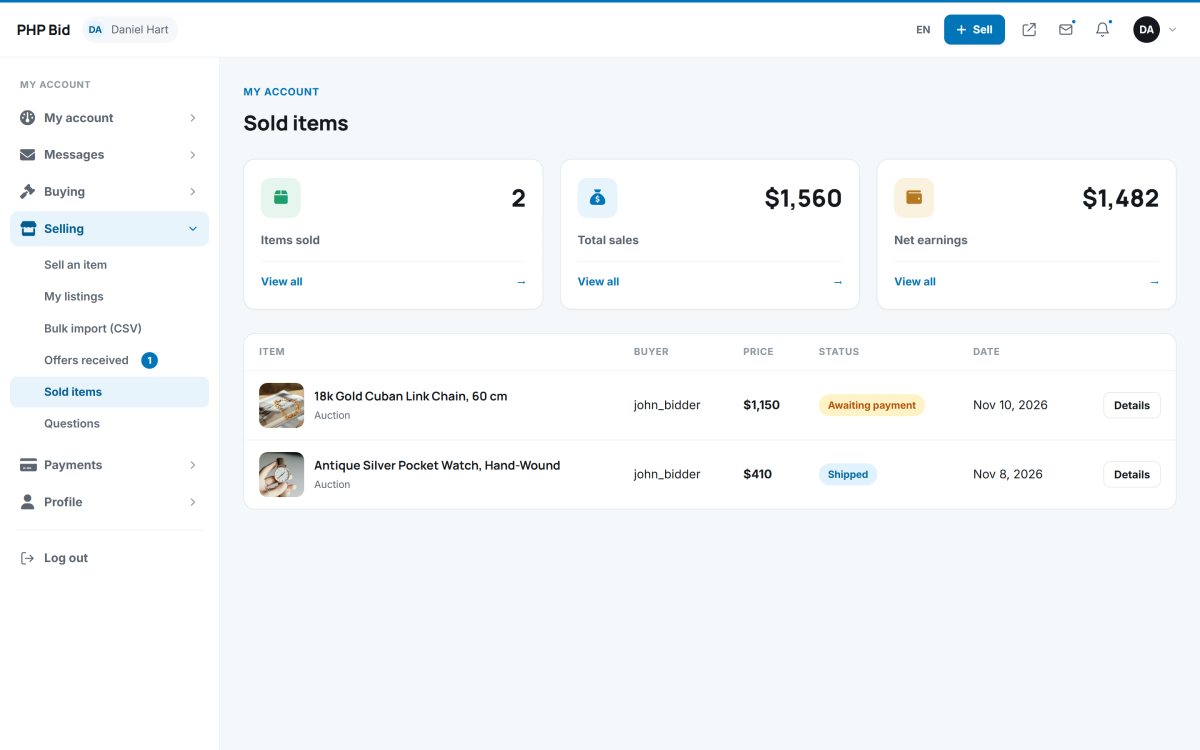
The steps of a sale
- Awaiting payment - the buyer chooses the shipping method and pays. The seller is notified when the buyer clicks "I have paid".
- Payment received - the seller checks the money arrived and clicks I received the payment.
- Shipped - the seller clicks Mark as shipped and adds the tracking number and a note to the buyer.
- Completed - the buyer confirms the delivery.
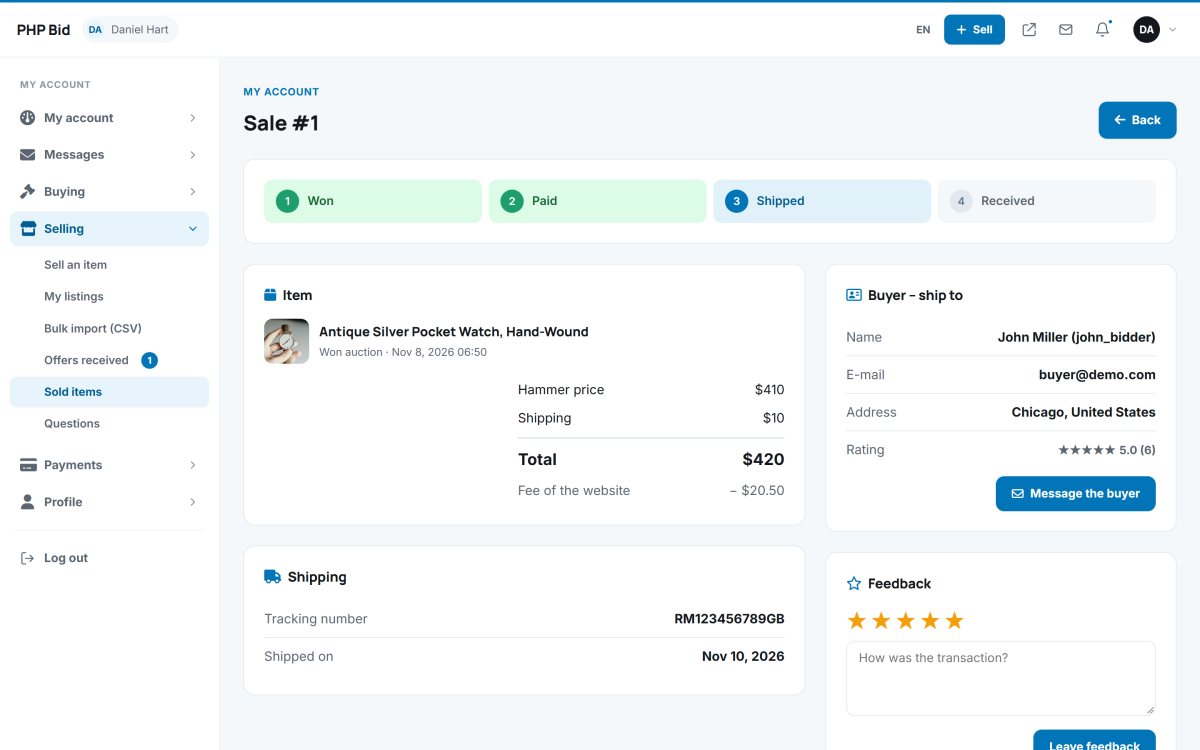
The sale page shows the hammer price, shipping, VAT, the buyer's premium, the fee of the website (seller commission) and the totals, plus the buyer's name, e-mail, phone and shipping address. The seller can message the buyer from the page.
Cancelling a sale
If the buyer never pays, the seller can cancel the sale with Cancel the sale. The administrator also sees and can change every sale in Sales.
Feedback for the buyer
Once the item is paid, both sides can leave feedback: 1 to 5 stars and a comment. Ratings appear on the member's profile and build trust in your marketplace.