Languages: a multilingual auction website
PHP Bid comes in English and Spanish and can run in any number of languages. Visitors switch with one click, and every page has its own URL per language.
Menu Settings › Language Versions
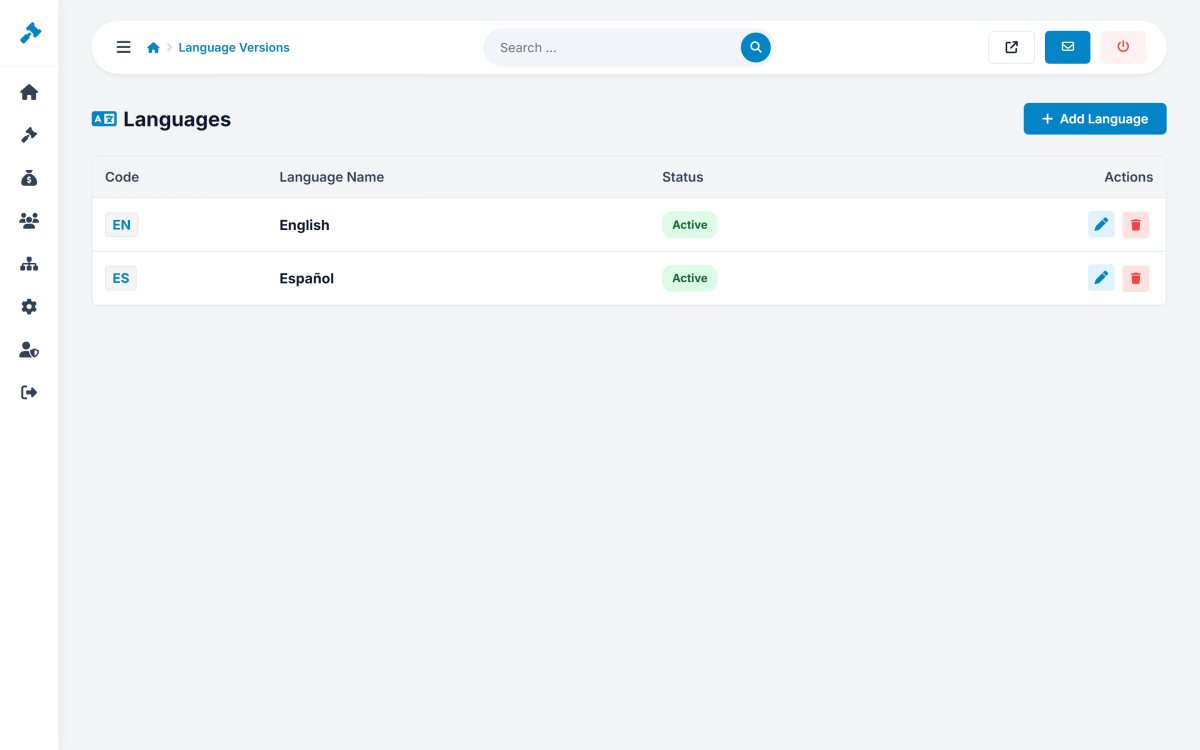
Adding a language
- Open Settings › Language Versions and click Add Language.
- Enter the two-letter code (
de,fr,it...) and the name as it should appear in the switch (Deutsch). The code can not be changed later. - PHP Bid creates the language file
languages/de.phpas a copy of the English texts. - Translate the texts in Website › Interface Texts (or give the file to a translator).
- Translate the pages and categories - by hand in their editors, or with the AI translation.
- Make the language active and turn on Multi-language website in Configuration Options.
What is translated where
| Content | Where |
|---|---|
| Buttons, menus, messages, e-mails | Website › Interface Texts (language files). |
| Pages and FAQ | Website › Pages - one tab per language in the editor. |
| Blog posts | Website › News - translations per post. |
| Categories | Auctions › Categories - or Translate all with AI. |
| Listings | Written by the sellers in their language. |
The default language can not be deleted. Deactivate a language to hide it without losing its translations.